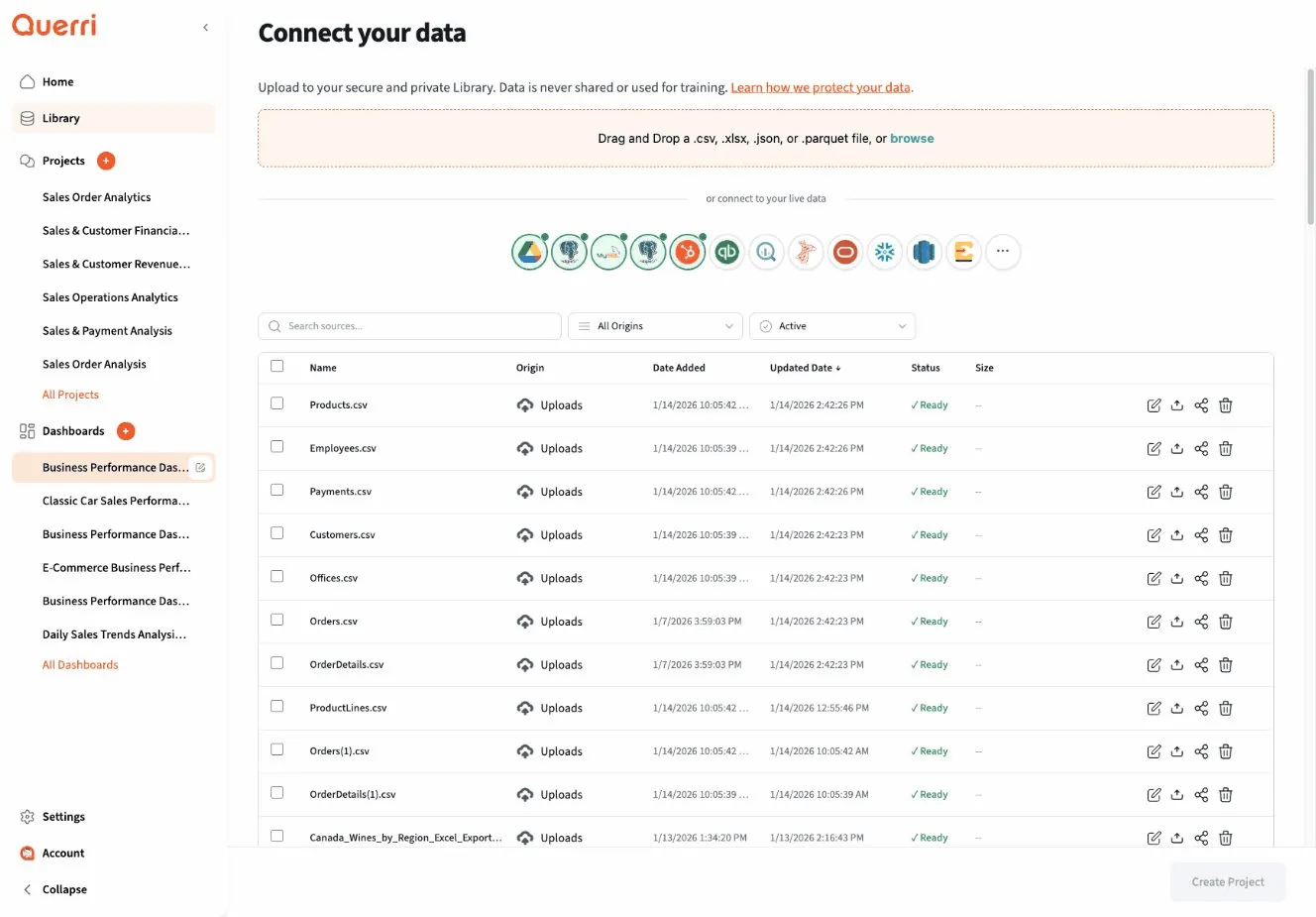
Organizing Sources
Organizing Sources
Section titled “Organizing Sources”As your Library grows, good organization becomes essential. This guide covers best practices for naming, categorizing, versioning, and maintaining your data sources to keep your Library clean and efficient.
Naming Conventions
Section titled “Naming Conventions”Consistent naming makes sources easy to find and understand.
Naming Principles
Section titled “Naming Principles”Be Descriptive:
Good: customer_purchases_2024_q1.csvBad: data.csv
Good: salesforce_production_connectionBad: connection1
Good: monthly_revenue_summary_jan2024.xlsxBad: revenue.xlsxBe Consistent:
Choose a pattern and stick to it:
Pattern: [department]_[topic]_[date]_[version]
Examples:sales_customers_2024-01-15_v1.csvsales_orders_2024-01-15_v1.csvsales_products_2024-01-15_v1.csvmarketing_campaigns_2024-01-15_v1.csvInclude Context:
Essential information to include:- What: customer_data- When: 2024_q1- Source: from_salesforce- Type: daily_export
Full name: customer_data_from_salesforce_daily_export_2024_q1.csvNaming Templates
Section titled “Naming Templates”For Regular Files:
Template: [topic]_[source]_[frequency]_[date].[ext]
Examples:sales_transactions_shopify_daily_2024-01-15.csvinventory_levels_warehouse_weekly_2024-w03.xlsxcustomer_feedback_survey_monthly_2024-01.jsonFor Data Snapshots:
Template: [topic]_snapshot_[timestamp].[ext]
Examples:customer_database_snapshot_2024-01-15.csvproduct_catalog_snapshot_2024-01-01_0900.parquetpricing_snapshot_2024-q1.xlsxFor Connections:
Template: [system]_[environment]_[purpose]
Examples:postgres_production_analyticsmysql_staging_testingsalesforce_prod_crmbigquery_warehouse_reportingFor Aggregated/Processed Data:
Template: [topic]_[aggregation]_[period].[ext]
Examples:sales_daily_totals_2024-01.csvrevenue_monthly_summary_2024.xlsxtraffic_hourly_metrics_2024-01-15.parquetVersion Naming
Section titled “Version Naming”Semantic Versioning for Schemas:
v1.0.0 = Major.Minor.Patch
v1.0.0 → v1.0.1: Bug fix in data (patch)v1.0.1 → v1.1.0: New column added (minor)v1.1.0 → v2.0.0: Column removed or renamed (major)
Example:customer_data_v1.0.0.csv → Initial versioncustomer_data_v1.1.0.csv → Added "phone_number" columncustomer_data_v2.0.0.csv → Renamed "email" to "email_address"Date-Based Versioning:
For data that updates regularly:
Template: [name]_[YYYY-MM-DD].[ext]
Examples:sales_data_2024-01-15.csvsales_data_2024-01-16.csvsales_data_2024-01-17.csv
Or with time:sales_data_2024-01-15_0800.csvsales_data_2024-01-15_1200.csvIteration Versioning:
For exploratory work:
Template: [name]_v[number].[ext]
Examples:analysis_dataset_v1.csv → First attemptanalysis_dataset_v2.csv → After cleaninganalysis_dataset_v3.csv → After adding featuresanalysis_dataset_final.csv → Ready for productionFolders and Categories
Section titled “Folders and Categories”Organize sources into a logical hierarchy.
Folder Structure Strategies
Section titled “Folder Structure Strategies”By Department:
Library/├── Sales/│ ├── Transactions/│ ├── Customers/│ ├── Products/│ └── Targets/├── Marketing/│ ├── Campaigns/│ ├── Leads/│ ├── Analytics/│ └── Social Media/├── Finance/│ ├── Revenue/│ ├── Expenses/│ ├── Budget/│ └── Forecasts/└── Operations/ ├── Inventory/ ├── Shipping/ ├── Manufacturing/ └── Quality/
Best for: Departmental access control, team-based workflowsBy Data Type:
Library/├── Transactional/│ ├── Sales/│ ├── Orders/│ └── Payments/├── Master Data/│ ├── Customers/│ ├── Products/│ └── Vendors/├── Analytical/│ ├── Aggregates/│ ├── KPIs/│ └── Reports/└── External/ ├── Market Data/ ├── APIs/ └── Third Party/
Best for: Data governance, understanding data characteristicsBy Project:
Library/├── Q1 Sales Analysis/│ ├── Source Data/│ ├── Processed/│ └── Results/├── Customer Segmentation/│ ├── Raw Data/│ ├── Features/│ └── Segments/├── Marketing ROI Study/│ ├── Campaign Data/│ ├── Revenue Data/│ └── Attribution/└── Shared Resources/ ├── Reference Data/ └── Common Datasets/
Best for: Project-based work, temporary analysesBy Frequency:
Library/├── Real-time/│ ├── Live Feeds/│ └── Streaming/├── Daily/│ ├── Sales/│ ├── Operations/│ └── Analytics/├── Weekly/│ ├── Reports/│ └── Summaries/├── Monthly/│ ├── Closeout/│ └── Financials/└── Ad Hoc/ └── One-time Exports/
Best for: Scheduling, data freshness managementHybrid Approach (Recommended):
Library/├── Production/ (by department)│ ├── Sales/│ ├── Marketing/│ └── Finance/├── Projects/ (by project)│ ├── Q1-2024-Analysis/│ └── Customer-Segmentation/├── Reference/ (shared resources)│ ├── Lookup Tables/│ ├── Calendars/│ └── Dimensions/└── Archive/ (old data) ├── 2023/ └── 2022/
Best for: Most organizations, balances multiple needsCreating Folders
Section titled “Creating Folders”Best Practices:
- Don’t go too deep: Max 3-4 levels
- Use clear names: “Sales Data” not “Data1”
- Be consistent: Same structure across departments
- Plan for growth: Leave room for expansion
- Document structure: README in each folder
Example README:
Folder: /Sales/Customers
Purpose:Contains all customer-related data including master records,purchase history, and segmentation data.
Contents:- customer_master_*.csv: Main customer database exports- purchase_history_*.csv: Historical transaction data- segments_*.csv: Customer segmentation results
Update Schedule:- Master data: Daily at 2 AM- Purchase history: Hourly- Segments: Weekly on Mondays
Owner: Sales Analytics TeamContact: sales-analytics@company.comTagging Sources
Section titled “Tagging Sources”Tags provide flexible, cross-cutting organization.
Tag Categories
Section titled “Tag Categories”By Topic:
#sales#customers#products#revenue#marketing#campaigns#inventoryBy Status:
#active#deprecated#testing#production#archived#needs-reviewBy Data Characteristics:
#pii (contains personal information)#financial#confidential#public#large-dataset (>1GB)#real-time#batch#cleaned#rawBy Usage:
#dashboard (used in dashboards)#reporting#ml-model (for machine learning)#api-source#manual-upload#automatedBy Quality:
#verified#needs-validation#high-quality#experimental#incompleteTagging Best Practices
Section titled “Tagging Best Practices”Use Multiple Tags:
customer_transactions_2024.csv
Tags:#sales (topic)#customers (topic)#production (status)#pii (data characteristic)#daily (frequency)#dashboard (usage)#verified (quality)
This allows finding by any category.Create Tag Guidelines:
Company Tag Standards:
Required Tags (all sources):- At least one topic tag- One status tag (#active, #archived, #deprecated)- Data classification (#public, #internal, #confidential)
Optional Tags:- Quality indicators- Usage patterns- Special handling requirements
Example:✓ customer_data.csv: #customers #active #confidential #pii #verified✗ customer_data.csv: #data (too vague, missing required tags)Tag Naming Conventions:
Format: #lowercase-with-hyphens
Good:#customer-segmentation#real-time-data#needs-validation
Bad:#Customer_Segmentation (inconsistent case/separators)#realtime (ambiguous - one or two words?)#NeedsValidation (not lowercase)Managing File Versions
Section titled “Managing File Versions”Track changes and maintain history of your data sources.
Version Control Strategies
Section titled “Version Control Strategies”Automatic Versioning:
When you upload a new file with the same name:
Option 1: Replace and keep history- Old version archived automatically- Access to previous versions maintained- Rollback available
Option 2: Create new version- Both versions accessible- Clear version lineage- Choose which to use in projects
Querri Default: Replace and keep historyVersion Metadata:
customer_data.csv (current version)
Version History:┌────────────────────────────────────────────────────┐│ Version | Date | Uploader | Size | Note │├────────────────────────────────────────────────────┤│ v5 ● | 2024-01-15 | J. Smith | 2.5 MB | Current││ v4 | 2024-01-08 | J. Smith | 2.3 MB | Weekly ││ v3 | 2024-01-01 | J. Smith | 2.1 MB | Q1 Start││ v2 | 2023-12-15 | A. Jones | 1.9 MB | Cleanup││ v1 | 2023-12-01 | A. Jones | 2.0 MB | Initial│└────────────────────────────────────────────────────┘Comparing Versions
Section titled “Comparing Versions”Schema Comparison:
Comparing customer_data.csv v4 → v5
Columns added:+ phone_number (string)+ loyalty_tier (string)
Columns removed:- legacy_id (integer)
Columns modified: email: varchar(100) → varchar(255) created_at: date → datetime
Rows: v4: 10,234 rows v5: 10,456 rows (+222 rows)Data Comparison:
Comparing values in matching columns:
customer_id: No changes (primary key)email: 15 values changedname: 3 values changedcreated_at: 222 new records, 0 changedtotal_purchases: 1,245 values changed (expected - financial updates)Version Notes
Section titled “Version Notes”Add context to each version:
customer_data.csv - Version 5
Upload Date: January 15, 2024Uploaded By: Jane Smith
Changes in this version:- Added phone_number column for SMS marketing- Added loyalty_tier based on purchase history- Removed deprecated legacy_id column- Updated email format to support longer addresses- Added 222 new customer records from Q4
Data Quality:- Validation passed: ✓- Null check passed: ✓- Duplicate check: 0 duplicates found- Schema check: Matches expected v2.0 schema
Impact:- Projects using this data: 5- Dashboards affected: 2- Action required: Update "Customer Overview" dashboard to include loyalty_tier
Approved By: Sales Analytics TeamDeleting Old Sources
Section titled “Deleting Old Sources”Keep your Library clean and performant.
When to Delete
Section titled “When to Delete”Good Reasons to Delete:
✓ Duplicate data✓ Replaced by better source✓ Temporary analysis complete✓ Data no longer relevant✓ Retention period expired✓ Source is deprecated✓ Never been usedReasons to Archive Instead:
✓ Historical reference value✓ Compliance/audit requirements✓ Occasional use✓ Part of data lineage✓ Unsure if still neededSafe Deletion Process
Section titled “Safe Deletion Process”Step 1: Check Usage:
Before deleting customer_data_old.csv:
Usage Check:├── Used in projects: 0 ✓├── Used in dashboards: 1 ✗ (warning!)├── Last accessed: 6 months ago├── References by: Sales Dashboard (legacy)└── Alternative source: customer_data_v2.csv ✓
Recommendation: Update Sales Dashboard to use v2, then deleteStep 2: Notify Stakeholders:
Email Template:
To: data-users@company.comSubject: Upcoming Library Cleanup
We plan to delete the following data sources on Feb 1, 2024:- customer_data_old.csv (replaced by customer_data_v2.csv)- temp_analysis_jan2023.xlsx (analysis complete)- test_upload.csv (test file)
If you need any of these sources, please reply by Jan 25.
Alternatives available:- customer_data_old.csv → Use customer_data_v2.csv instead
Thank you,Data TeamStep 3: Archive First (Optional):
Before permanent deletion:1. Move to Archive folder2. Wait 30 days3. If no issues raised, permanently delete4. Maintain deletion log
Archive Location: /Archive/2024/January/Step 4: Delete and Document:
Deletion Log:
Date: February 1, 2024Deleted By: Jane SmithReason: Replaced by v2
Sources Deleted:- customer_data_old.csv Last modified: July 15, 2023 Size: 2.1 MB Projects affected: 0 Notification sent: January 15, 2024
Replacement: customer_data_v2.csvStakeholders: Sales Analytics team notifiedBackup: Archived in /Archive/2024/January/Bulk Cleanup
Section titled “Bulk Cleanup”For large-scale cleanup:
Identify Cleanup Candidates:
Query Library for:
Unused sources:- Last accessed > 180 days- Never used in any project- Result: 45 sources
Duplicates:- Same name in multiple folders- Same schema and content- Result: 12 duplicate pairs
Temporary files:- Name contains "temp" or "test"- Created > 90 days ago- Never used in projects- Result: 23 sources
Old versions:- Newer version exists- Not referenced by any active projects- Result: 67 old versionsCleanup Plan:
Phase 1: Quick wins (Week 1)- Delete obvious temp/test files- Remove never-used sources- Total: 68 sources
Phase 2: Duplicates (Week 2)- Identify canonical version- Update references- Delete duplicates- Total: 12 sources
Phase 3: Old versions (Week 3-4)- Check each for active usage- Archive those with historical value- Delete unused old versions- Total: 45 sources
Expected Results:- 125 sources removed- 15% reduction in library size- Improved search and browse experienceRetention Policies
Section titled “Retention Policies”Set automatic policies:
By Data Type:
Policy: Transaction DataRetention: 7 yearsArchive after: 2 yearsDelete after: 7 yearsReason: Financial compliance
Policy: Temporary AnalysisRetention: 90 daysArchive after: 30 daysDelete after: 90 daysReason: No business value after project
Policy: Marketing DataRetention: 3 yearsArchive after: 1 yearDelete after: 3 yearsReason: Campaign analysisAutomatic Cleanup:
Rule: Delete unused test filesCondition: - Name contains "test" or "temp" - Created > 30 days ago - Never used in projectAction: Move to trash (recoverable for 30 days)
Rule: Archive old snapshotsCondition: - Type = snapshot - Age > 90 days - Not current versionAction: Move to Archive folder
Rule: Flag for reviewCondition: - Size > 1 GB - Not accessed in 180 daysAction: Tag with #needs-review, notify ownerBest Practices Summary
Section titled “Best Practices Summary”✓ Use consistent naming conventions ✓ Document your sources ✓ Tag appropriately ✓ Organize into logical folders ✓ Track version history ✓ Clean up regularly ✓ Set retention policies ✓ Check usage before deleting ✓ Notify stakeholders of changes ✓ Keep README files in folders
Don’ts
Section titled “Don’ts”✗ Don’t use vague names like “data.csv” ✗ Don’t create too many folder levels ✗ Don’t delete without checking usage ✗ Don’t keep duplicates ✗ Don’t let temporary files accumulate ✗ Don’t ignore old versions forever ✗ Don’t forget to document changes ✗ Don’t use inconsistent naming across team ✗ Don’t skip tagging important sources ✗ Don’t archive without retention policy
Quick Reference
Section titled “Quick Reference”Naming Template
Section titled “Naming Template”[topic]_[source]_[frequency]_[date]_[version].[ext]customer_data_salesforce_daily_2024-01-15_v1.csvEssential Tags
Section titled “Essential Tags”#topic #status #classification #usage#customers #active #confidential #dashboardFolder Structure
Section titled “Folder Structure”Production/[Department]/[Category]/Projects/[Project Name]/Reference/[Type]/Archive/[Year]/[Month]/Before Deleting Checklist
Section titled “Before Deleting Checklist”☐ Check usage in projects☐ Check usage in dashboards☐ Identify alternatives☐ Notify stakeholders☐ Archive if needed☐ Document deletion☐ Set trash retentionNext Steps
Section titled “Next Steps”- Search & Discovery - Learn to find sources efficiently in a well-organized Library
- Library Overview - Return to Library fundamentals
- Data Sources - Learn more about files and connections
Keep your Library organized, and your entire team will work more efficiently!