Skip to content

Search & Discovery

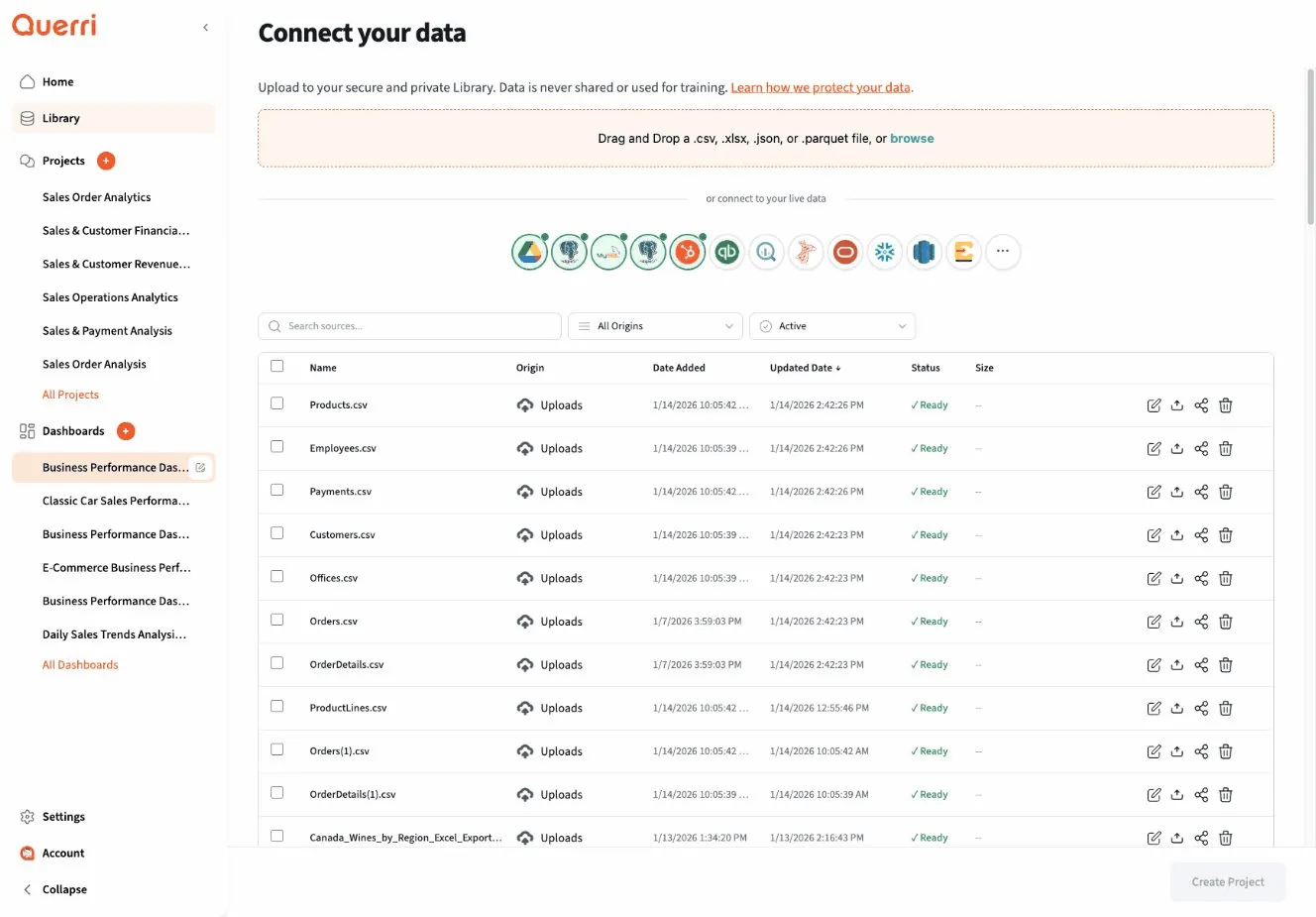
As your Library grows, the ability to quickly find the right data source becomes crucial. This guide covers all the ways you can search, filter, and discover data in the Querri Library.

The Library provides multiple ways to locate data sources efficiently.

The fastest way to find what you need:

Search Bar:

Location: Top of Library page
Shortcut: Press '/' to focus search
Search examples:
"customer" → Finds all sources with "customer" in name or description
"sales 2024" → Finds sales data from 2024
"csv" → Finds all CSV files

Search Behavior:

  • Real-time results: See matches as you type
  • Fuzzy matching: Finds “customers” when you search “customer”
  • Multi-field search: Searches name, description, tags, and metadata
  • Ranking: Most relevant results appear first

Example Search Results:

Search: "customer sales"
Results (12 found):
──────────────────────────────────────────────
1. customer_sales_2024.csv ★
Sales/Customers • 2.5 MB • Updated today
Tags: #sales #customers #daily #active
2. customer_sales_history.xlsx
Archive/2023/Sales • 15 MB • 6 months ago
Tags: #historical #sales #customers
3. Customer Sales Analysis Project
Projects/ • Connection • Updated last week
Tags: #analysis #customers #revenue
4. sales_by_customer_segment.parquet
Analytics/Aggregates • 5.1 MB • Updated yesterday
Tags: #aggregated #customers #segmentation
──────────────────────────────────────────────

Explore the Library systematically:

Category Views:

All Sources (156)
├── Files (89)
│ ├── CSV (45)
│ ├── Excel (32)
│ ├── JSON (8)
│ └── Parquet (4)
└── Connections (67)
├── Databases (42)
├── APIs (15)
└── Cloud Storage (10)

Folder Navigation:

Library/
├── Production/
│ ├── Sales/ (23 sources)
│ ├── Marketing/ (18 sources)
│ └── Finance/ (15 sources)
├── Projects/ (35 sources)
├── Reference/ (12 sources)
└── Archive/ (53 sources)
Click any folder to browse its contents

Visual Organization:

Grid View: [icon] [icon] [icon]
Customer Sales Product
Sales Data Catalog
List View:
┌────────────────────────────────────────────┐
│ Name Type Size Modified │
├────────────────────────────────────────────┤
│ customer_sales.csv CSV 2.5 MB Today │
│ sales_data.xlsx Excel 1.2 MB Yesterday │
│ product_db Postgres - 2 min ago │
└────────────────────────────────────────────┘

Access your recent activity:

Recently Viewed:

Your Recent Sources:
1. customer_transactions_2024.csv (2 minutes ago)
2. sales_database_connection (1 hour ago)
3. product_catalog.xlsx (today)
4. marketing_campaigns_q1.csv (yesterday)
5. revenue_summary.parquet (2 days ago)
Quick access to data you're actively working with

Recently Added:

New to Library:
1. inventory_snapshot_2024-01-15.csv (added today by J. Smith)
2. customer_feedback_jan.xlsx (added today by A. Jones)
3. api_analytics_connection (added yesterday by M. Chen)
Stay updated on new data sources

Recently Modified:

Recently Updated:
1. sales_database (updated 2 minutes ago)
↳ Connection refreshed
2. customer_master.csv (updated today)
↳ New version uploaded
3. product_prices.xlsx (updated yesterday)
↳ Price adjustments
Track changes to important sources

Mark important sources for quick access:

Adding to Favorites:

Click the star icon ★ on any source
Your starred sources appear at the top of:
- Library home page
- Search results
- "From Library" dialogs in projects

My Favorites:

★ customer_master_data.csv
Your go-to customer database
★ production_database_connection
Main analytical database
★ sales_daily_export
Daily sales feed
★ revenue_dashboard_data.parquet
Pre-processed dashboard data
Organize favorites with personal tags or notes

Team Favorites:

Most favorited by your team:
1. ★★★★★ customer_database (15 favorites)
2. ★★★★☆ sales_transactions (12 favorites)
3. ★★★★☆ product_catalog (11 favorites)
Discover commonly used sources

Narrow down results with powerful filters.

By Type:

☑ CSV files (45)
☑ Excel files (32)
☐ JSON files (8)
☐ Parquet files (4)
☑ Database connections (42)
☐ API connections (15)
☐ Cloud storage (10)
Apply: Show only CSV, Excel, and Database sources
Result: 119 sources

By Date:

Modified:
○ Today (15)
○ This week (42)
● This month (78)
○ This quarter (124)
○ This year (156)
○ Custom range...
Apply: Show sources modified this month
Result: 78 sources

By Size:

File Size:
☐ < 1 MB (25)
☑ 1 MB - 10 MB (45)
☑ 10 MB - 100 MB (15)
☐ > 100 MB (4)
☐ Connections (67) - no size
Apply: Show medium-sized files
Result: 60 sources

By Owner:

Created By:
☑ Me (45)
☑ My Team (78)
☐ Other Teams (33)
Apply: Show only sources I or my team created
Result: 123 sources

By Tags:

Tags:
☑ #sales (45)
☑ #customers (32)
☐ #products (28)
☐ #marketing (25)
Tag Logic:
● AND (has all selected tags)
○ OR (has any selected tag)
Apply: Sources with both #sales AND #customers
Result: 12 sources

By Status:

Status:
☑ Active (120)
☐ Deprecated (15)
☐ Archived (21)
Data Classification:
☐ Public (45)
☑ Internal (89)
☑ Confidential (22)
☐ Restricted (0)
Apply: Active internal/confidential sources
Result: 111 sources

By Usage:

Usage:
☑ Used in projects (98)
☑ Used in dashboards (45)
☐ Not used anywhere (23)
Last Accessed:
○ Last 7 days
● Last 30 days
○ Last 90 days
○ Over 90 days ago
Apply: Sources used recently
Result: 67 sources

By Data Characteristics:

Contains:
☐ PII (Personal Information) (34)
☐ Financial Data (28)
☐ Sensitive Data (42)
Row Count:
☐ < 1,000 rows
☑ 1,000 - 100,000 rows
☑ 100,000 - 1M rows
☐ > 1M rows
Apply: Medium-sized datasets
Result: 56 sources

Create complex queries by combining filters:

Example 1: Recent Sales Data

Filters Applied:
- Type: CSV, Excel
- Tags: #sales
- Modified: This month
- Status: Active
- Size: < 10 MB
Result: 8 sources
Perfect for current sales analysis projects

Example 2: Unused Old Files

Filters Applied:
- Type: Files (any)
- Usage: Not used anywhere
- Modified: Over 90 days ago
- Status: Active
Result: 15 sources
Candidates for archiving or deletion

Example 3: Customer Data for Compliance Review

Filters Applied:
- Tags: #customers, #pii
- Classification: Confidential
- Modified: This year
- Contains: PII
Result: 12 sources
Review for compliance requirements

Save common filter combinations:

Creating a Saved Filter:

1. Apply your desired filters
2. Click "Save Filter"
3. Name it: "My Daily Sales Data"
4. Choose visibility: Private or Shared
Your saved filter is now available with one click

Saved Filter Examples:

Personal Saved Filters:
- "My Recent Work" → My sources, last 7 days
- "Sales CSV Files" → CSV, #sales tag, active
- "Large Datasets" → Files > 100 MB, used in projects
Team Saved Filters:
- "Production Data Sources" → #production, active, connections
- "Cleanup Candidates" → Not used, >90 days old
- "Customer Data" → #customers, #pii, confidential

Use operators for precise searches:

Exact Phrase:

Search: "customer transactions"
Matches: Sources with exact phrase "customer transactions"
Doesn't match: "customer" and "transactions" separately

Exclude Terms:

Search: sales -test
Matches: Sources with "sales" but not "test"
Result: Excludes test/demo files

Wildcards:

Search: customer_*_2024.csv
Matches: customer_sales_2024.csv, customer_data_2024.csv
Pattern matching for file names

Field-Specific Search:

Search: tag:#sales
Matches: Only sources tagged with #sales
Search: name:customer
Matches: Only sources with "customer" in the name
Search: description:"daily export"
Matches: Sources with "daily export" in description
Search: owner:"Jane Smith"
Matches: Sources owned by Jane Smith

Date Ranges:

Search: modified:2024-01-01..2024-01-31
Matches: Sources modified in January 2024
Search: created:last-7-days
Matches: Sources created in the last week
Search: modified:today
Matches: Sources modified today

Combining Operators:

Search: tag:#sales AND type:csv AND modified:this-month -test
Matches: Sales CSV files from this month, excluding test files
Complex but powerful filtering

Search within data source schemas:

Find by Column Name:

Search: column:customer_id
Matches: All sources with a "customer_id" column
Result:
- customer_master.csv (has customer_id)
- sales_transactions.xlsx (has customer_id)
- orders_database (has customer_id)

Find by Column Type:

Search: column-type:timestamp
Matches: Sources with timestamp columns
Useful for: Finding time-series data

Find by Schema Pattern:

Search: schema:"id, name, email"
Matches: Sources with columns matching this pattern
Useful for: Finding similar datasets

Search within file contents (for text-based formats):

Value Search:

Search: contains:"ACME Corporation"
Matches: Files containing "ACME Corporation" in the data
Warning: Slower than metadata search, use sparingly

Pattern Search:

Search: contains-pattern:"\d{3}-\d{2}-\d{4}"
Matches: Files containing SSN-like patterns
Useful for: Finding PII for compliance

Use Specific Terms:

Slow: "data"
Fast: "customer_sales_data_2024"
More specific = fewer results to scan = faster

Filter First, Then Search:

Instead of:
Search: "sales" (scans all 156 sources)
Try:
1. Filter: Type = CSV, Modified = This month
2. Search: "sales" (scans 15 sources)
Result: Much faster

Use Tags:

Instead of:
Search: description:"contains customer information"
Try:
Filter: tag:#customers
Result: Instant results via indexed tags

Results are ranked by relevance:

Ranking Factors:

1. Exact name match (highest)
2. Name starts with search term
3. Name contains search term
4. Tag match
5. Description match
6. Metadata match (lowest)
Additional boosts:
+ Recently modified
+ Frequently accessed
+ Favorited
+ Used in active projects

Example:

Search: "customer"
Results ranked:
1. customer.csv (exact name match, recently used)
2. customer_data.csv (name starts with term, high usage)
3. customer_transactions_2024.csv (name starts with term)
4. all_customers.xlsx (name contains term)
5. sales_data.csv (tagged #customers, description mentions)

Find data you didn’t know existed:

Find Similar Sources:

Viewing: customer_sales_2024.csv
Similar Sources:
1. customer_sales_2023.csv (same schema, previous year)
2. customer_sales_q1_2024.csv (subset of this data)
3. sales_by_customer_segment.parquet (derived from this)
Based on: Schema similarity, naming patterns, relationships

Find Related Projects:

Viewing: customer_master.csv
Used in Projects:
1. Customer Segmentation Analysis
2. Churn Prediction Model
3. Customer Lifetime Value Dashboard
4. Sales Performance Report
5. Monthly Customer Metrics
Click to view how it's being used

Suggested for You:

Based on your recent activity:
You might be interested in:
1. sales_forecast_2024.xlsx
↳ Because you viewed: sales_data_2024.csv
2. customer_churn_model.parquet
↳ Because you used: customer_master.csv
3. marketing_database_connection
↳ Popular with: Sales Analytics team

Trending Sources:

Most Viewed This Week:
1. ↑↑ revenue_summary_q1.xlsx (45 views)
2. ↑ customer_feedback.csv (32 views)
3. → sales_database (28 views)
Newly Popular:
1. ★ product_recommendations.parquet (new)
2. ★ customer_sentiment_analysis.csv (new)

Understand data relationships:

Upstream Sources:

Viewing: customer_ltv_analysis.parquet
Created from:
1. customer_master.csv (base data)
2. sales_transactions.xlsx (purchase history)
3. marketing_campaigns.csv (engagement data)
Shows: What data went into creating this source

Downstream Usage:

Viewing: customer_master.csv
Feeds into:
1. customer_segmentation.parquet (derived dataset)
2. Customer Lifetime Value Dashboard (dashboard)
3. Churn Analysis Project (analysis)
4. Weekly Customer Report (automated report)
Shows: What uses this source

Full Lineage View:

Data Lineage for: customer_ltv_analysis.parquet
Upstream (Sources):
customer_master.csv ────┐
sales_transactions.xlsx ─┤
marketing_campaigns.csv ─┴─> customer_ltv_analysis.parquet
Downstream (Usage):
customer_ltv_analysis.parquet ──┬─> Executive Dashboard
├─> LTV Prediction Model
└─> Monthly Business Review
Visual graph showing complete data flow

Speed up your workflow:

/ → Focus search bar
Esc → Clear search / close search
↑↓ → Navigate results
Enter → Open selected source
Ctrl/Cmd + F → Advanced search
Ctrl/Cmd + K → Quick command palette

Pre-built search queries:

From Toolbar:

Quick Searches:
[ My Files ] [ Team Files ] [ Recent ] [ Favorites ] [ Large Files ]
Click any to instantly apply that search

Custom Templates:

Create your own:
1. "My Sales Data" → owner:me tag:#sales type:csv
2. "This Week's Work" → modified:this-week owner:me
3. "Needs Cleanup" → modified:>90-days-ago usage:none
4. "Customer PII" → tag:#customers tag:#pii classification:confidential
Access from: Search templates dropdown
  1. Start broad, then narrow: Begin with category, then add filters
  2. Use tags consistently: Well-tagged sources are easier to find
  3. Favorite frequently used sources: Save time on common searches
  4. Learn keyboard shortcuts: Much faster than clicking
  5. Save common searches: Don’t repeat complex filter combinations
  6. Use specific terms: “customer_sales” better than “data”
  7. Keep names searchable: Include key terms in file names
  8. Document sources well: Better descriptions = better search results
  1. Review recommendations: Find related sources you might need
  2. Check trending sources: See what your team is using
  3. Explore similar sources: Find alternative or complementary data
  4. Follow data lineage: Understand data relationships
  5. Browse by category: Discover sources you didn’t know existed
  6. Review team favorites: Learn from colleagues’ choices

Check spelling:

Try: "customer" instead of "costumer"
Use: Fuzzy search to handle typos

Try broader search:

Instead of: "customer_sales_transactions_2024_q1.csv"
Try: "customer sales"
Then: Narrow down with filters

Check filters:

Are filters hiding your source?
- Status: Are you filtering out archived sources?
- Type: Are you excluding the file type you need?
- Date: Is it older than your date filter?
Reset: Click "Clear all filters"

Search in Archive:

Include: ☑ Archived sources
Many older sources may be archived

Ask for help:

Can't find it? It might be:
- In a different folder than expected
- Named differently than you remember
- Deleted or archived
- Not shared with you
Ask: The source owner or your data team

Master search and discovery to unlock the full power of your Querri Library!