
November 2026
Esta página aún no está disponible en español. Se muestra la versión en inglés.
This is one of the biggest releases Querri has shipped. Getting around is simpler: Home and New chat are now one screen, and everything that shapes how Querri answers lives in one new place, Customize. In Customize you’ll find the Tuner, an assistant that changes how Querri answers when you tell it what’s wrong. Blueprints install a working Library, dashboards and Sites for your industry in minutes. The Evals Desk lets you test the questions your team really asks, and MCP connectors let Querri use tools from other apps. Custom Roles let you decide exactly what each kind of person can see and do. New accounts get a shorter, guided onboarding, and the Library got dozens of smaller improvements.
What’s New
Section titled “What’s New”A Simpler Way to Get Around
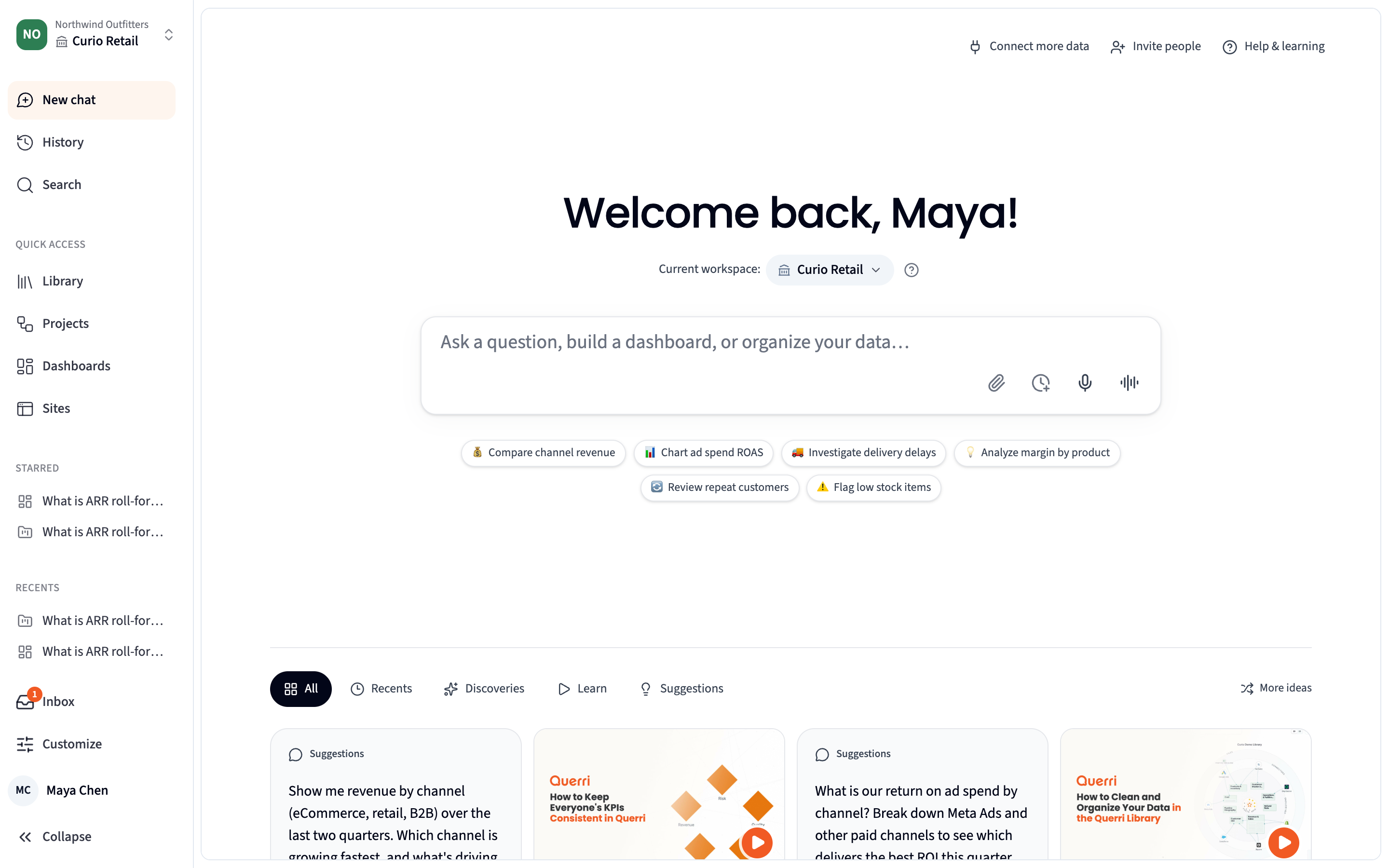
Section titled “A Simpler Way to Get Around”The left rail is shorter and organized around what you do most:
- New chat, History and Search at the top
- Library, Projects, Dashboards and Sites in the middle
- Starred and Recents under them when the rail is expanded
- Inbox and Customize at the bottom
Star any project or dashboard to pin it to the Starred list. Stars are personal and never shared.
Several items found better homes:
| Was | Now |
|---|---|
| Home in the rail | New chat opens Home (see below) |
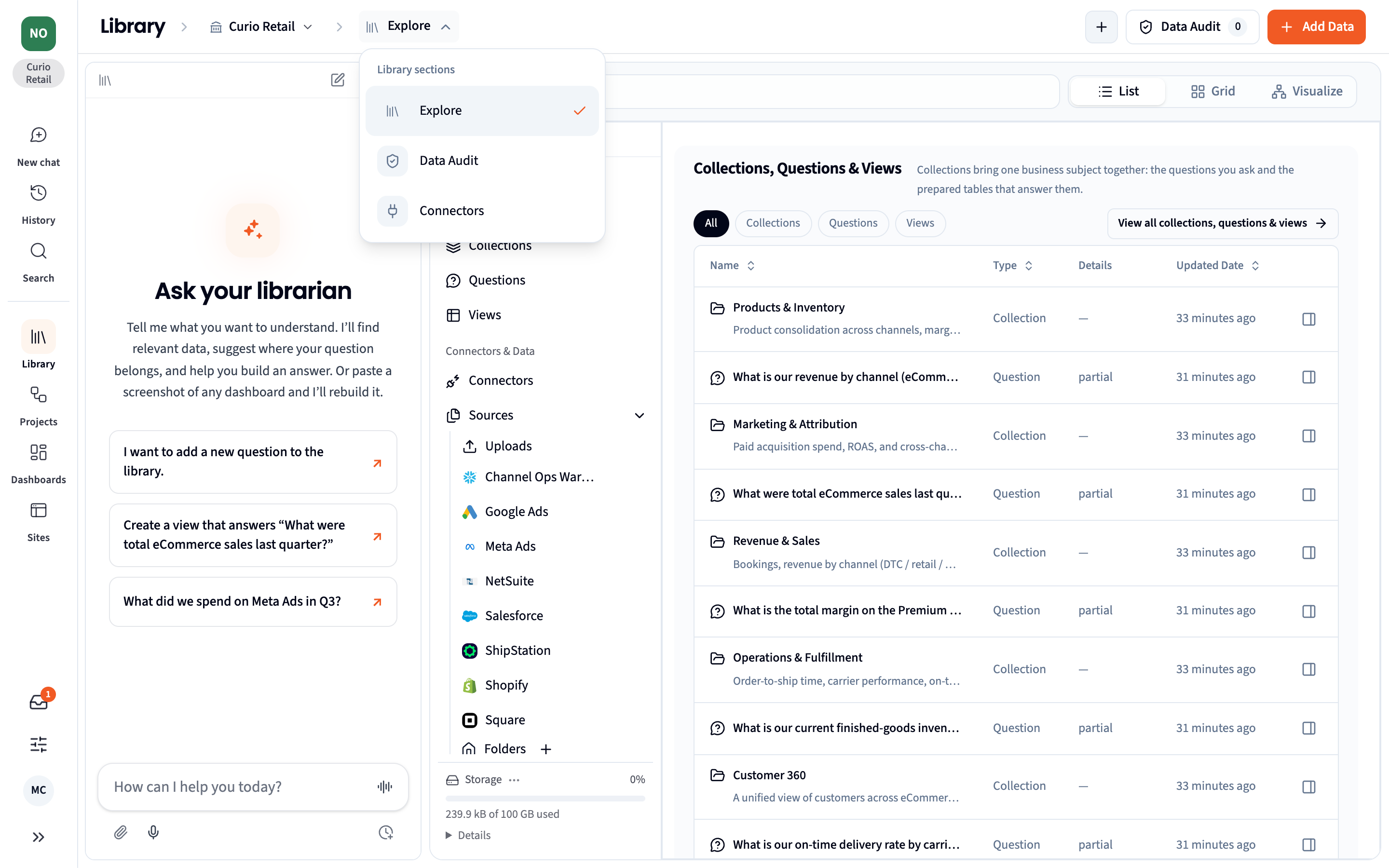
| Data Audit in the rail | Library › Data Audit |
| Connect in the rail | Library › Connectors |
| Templates in the rail | Customize › Blueprints |
| Settings › Customize, Workspaces, Roles, Skills, Appearance and History | Customize |
Old links and bookmarks still work. They redirect to the new location.
The Library header now has a section switcher. Hover Explore to move between Explore, Data Audit and Connectors.
Home and New Chat Are One Screen
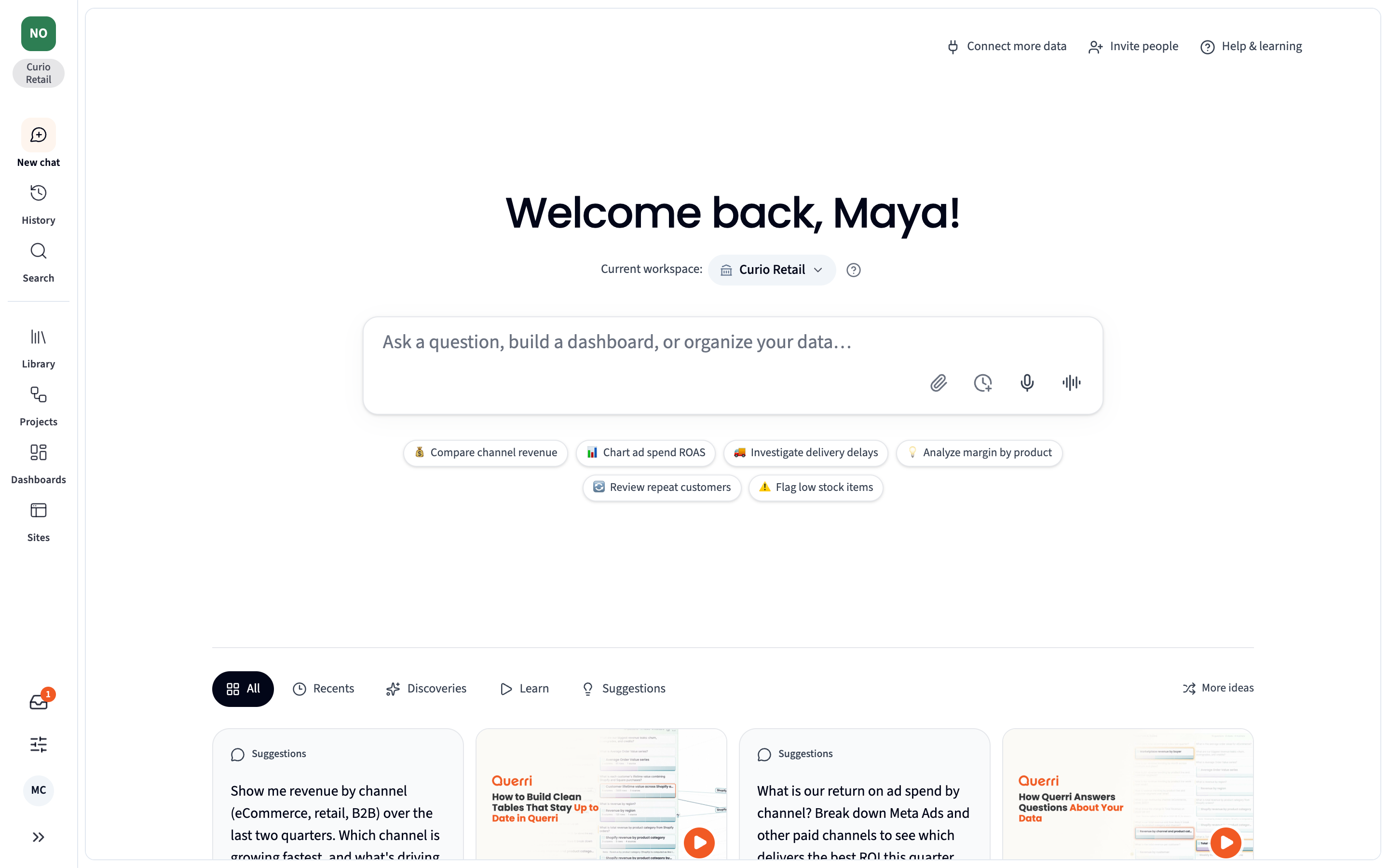
Section titled “Home and New Chat Are One Screen”New chat now opens Home: a greeting, the workspace you’re working in, a box to ask anything, and suggestions drawn from your own data. Below that, Recents and Suggestions let you pick up where you left off. A question asked here starts a new project instead of being added to an older, similar one.
Admins get a few extras on the same screen:
- Connect more data, Invite people and Help & learning at the top
- Discoveries from the Inbox and Learn videos in the grid
- More ideas for a fresh set of suggestions
Customize and the Tuner
Section titled “Customize and the Tuner”Customize is a new area, at the bottom of the rail, for everything that shapes how Querri answers and looks. Its home page, Where answers come from, follows the path an answer takes: workspaces, roles, the Library, the Data Audit, organization context, Skills, tools, and look and feel. Open any card to change that part. Preview as a role shows Querri the way someone in a given role sees it. Change history records every settings change, who made it and when.
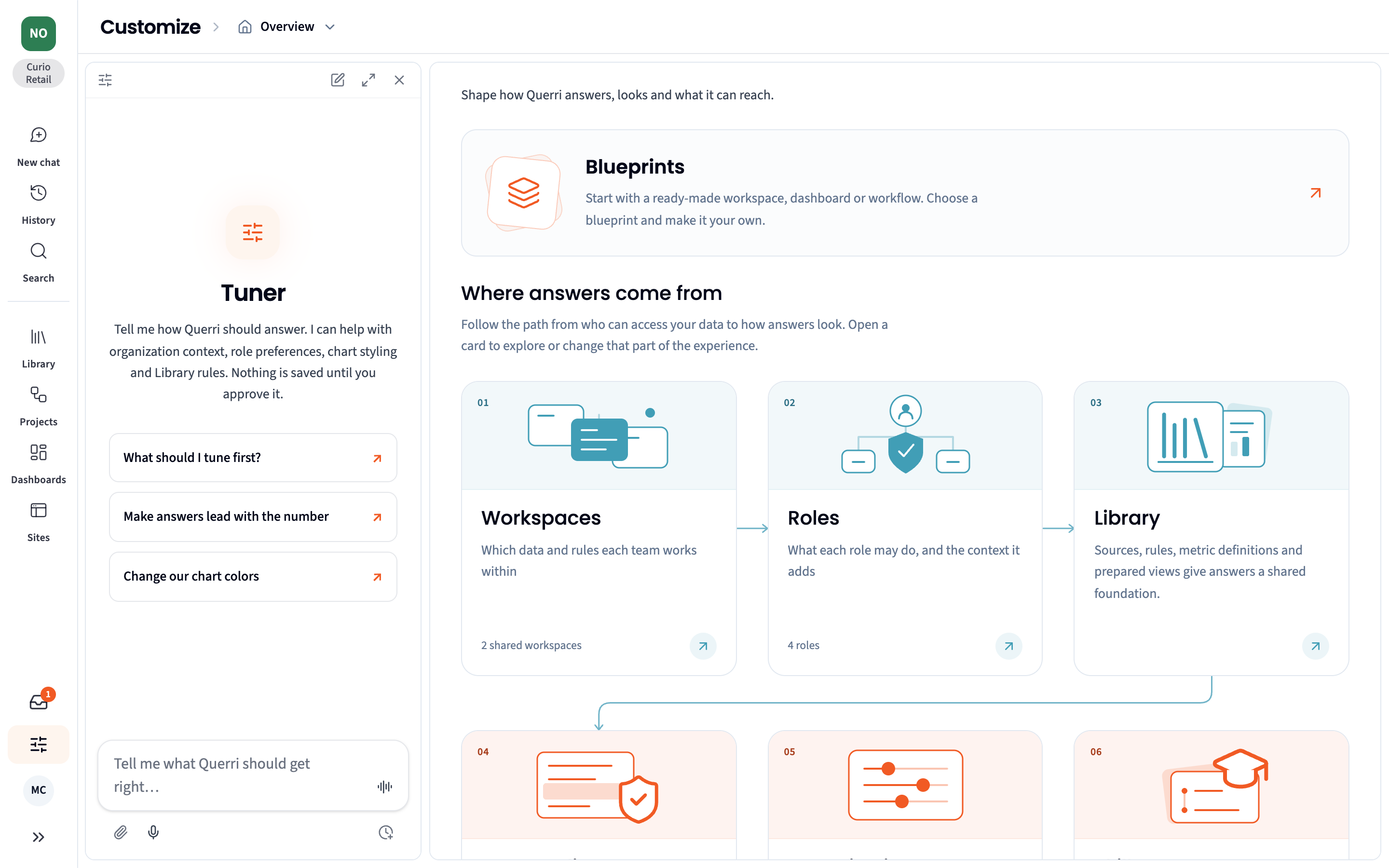
The Tuner is the assistant on every Customize page. Tell it what you want Querri to get right, such as “make answers lead with the number” or “change our chart colors”. It finds the setting behind it, asks anything it needs to know, and proposes the change on a card you can edit. Nothing is saved until you approve it, and every change it makes can be undone.
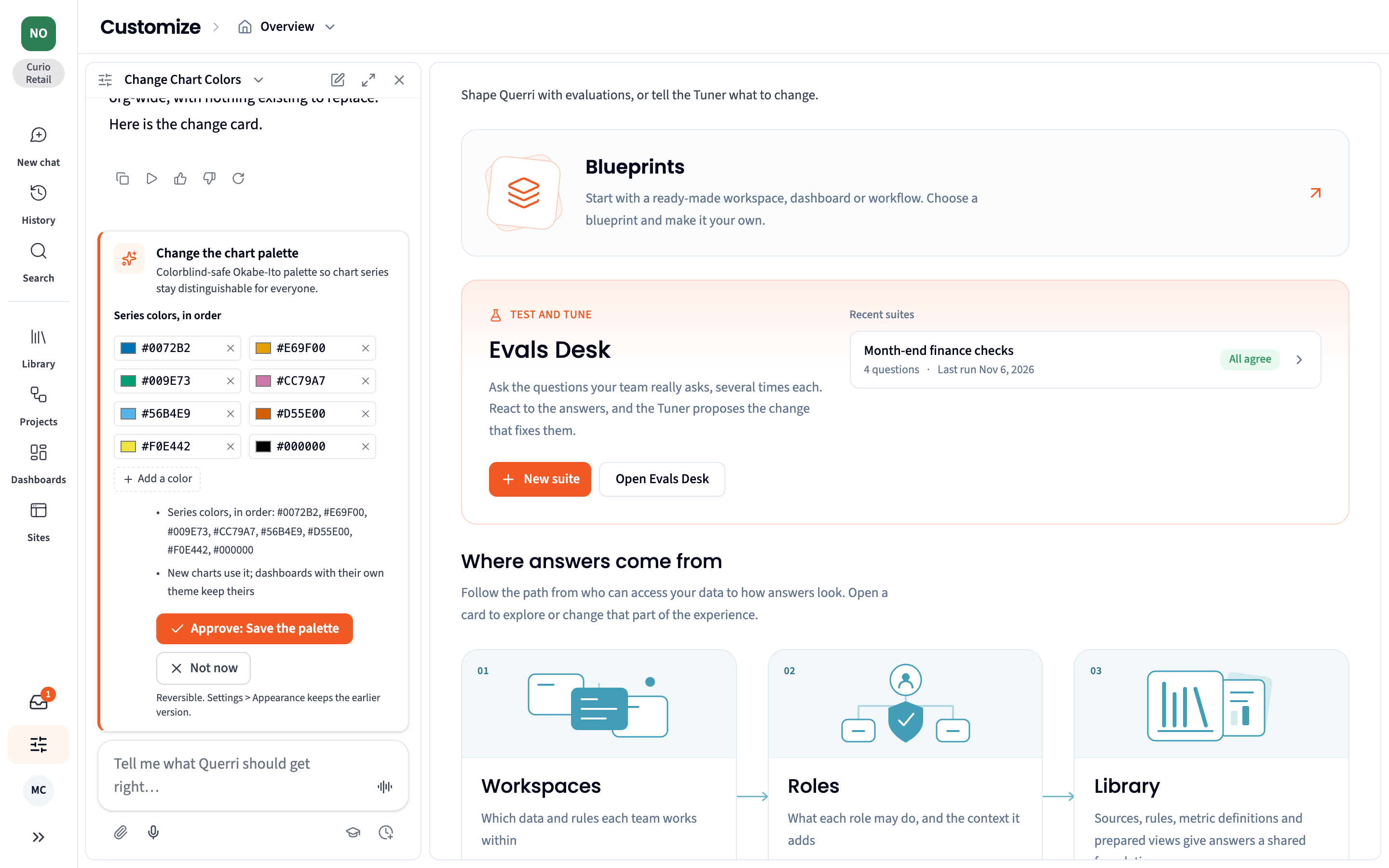
Anyone can ask the Tuner questions. Only people allowed to change a setting can approve a change to it.
Blueprints
Section titled “Blueprints”Blueprints install a working starting point for your industry and team: collections, questions, Views, KPIs, dashboards and Sites, built and checked by the Blueprint Installer. Start with the blueprint’s example data to try it right away, then connect your own systems. You can install a whole blueprint or only the pieces you choose, into any workspace.
There are 16 blueprints for commerce, finance, logistics, manufacturing, nonprofits, SaaS and senior living. New this month:
- FP&A close and plan, with three ready-made Sites and support for account hierarchies
- SaaS Finance, covering budget against actuals, ARR roll-forward, bookings against billing and Board metrics
- Pipeline and Funnel
Find them in Customize › Blueprints. See Blueprints.
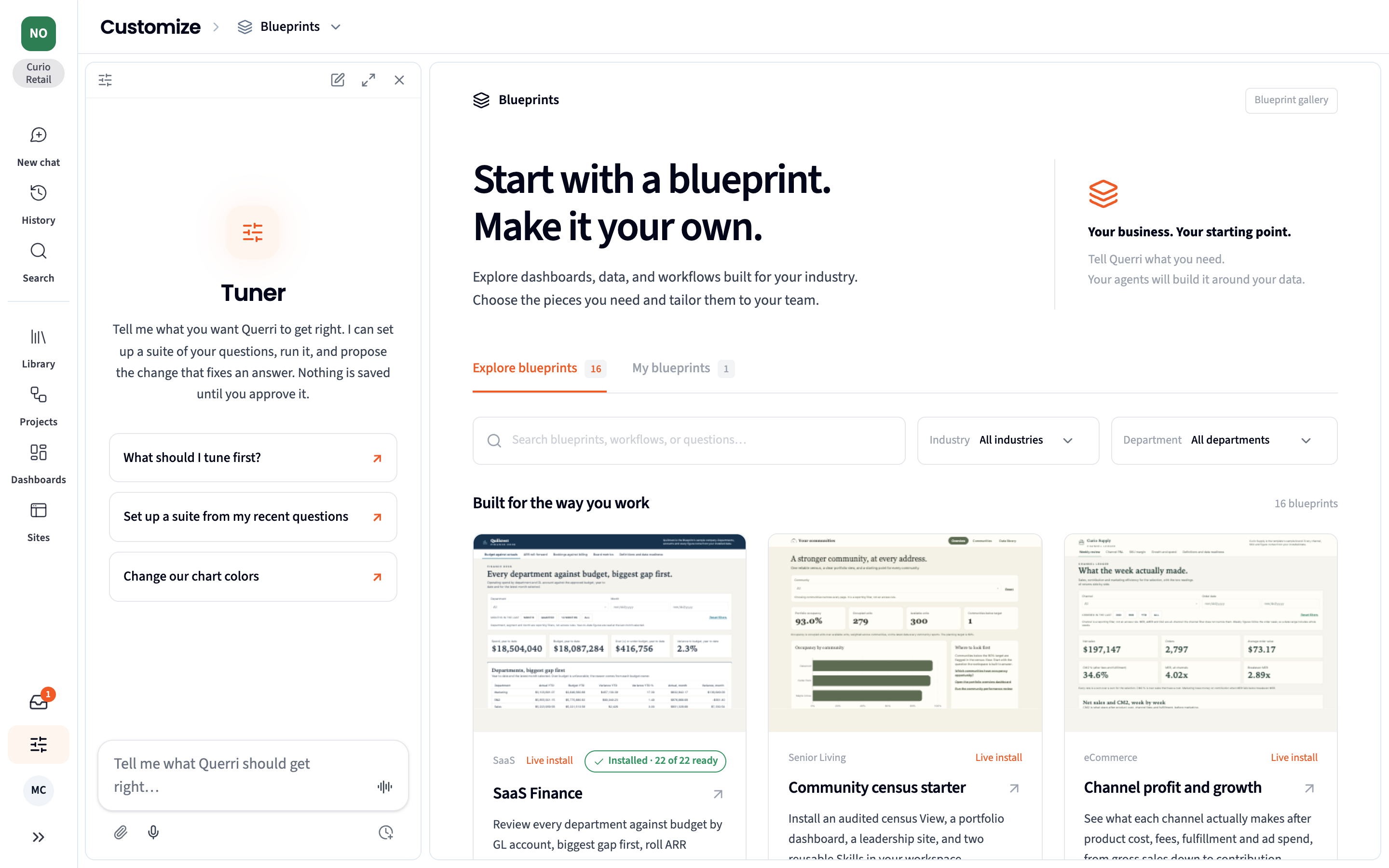
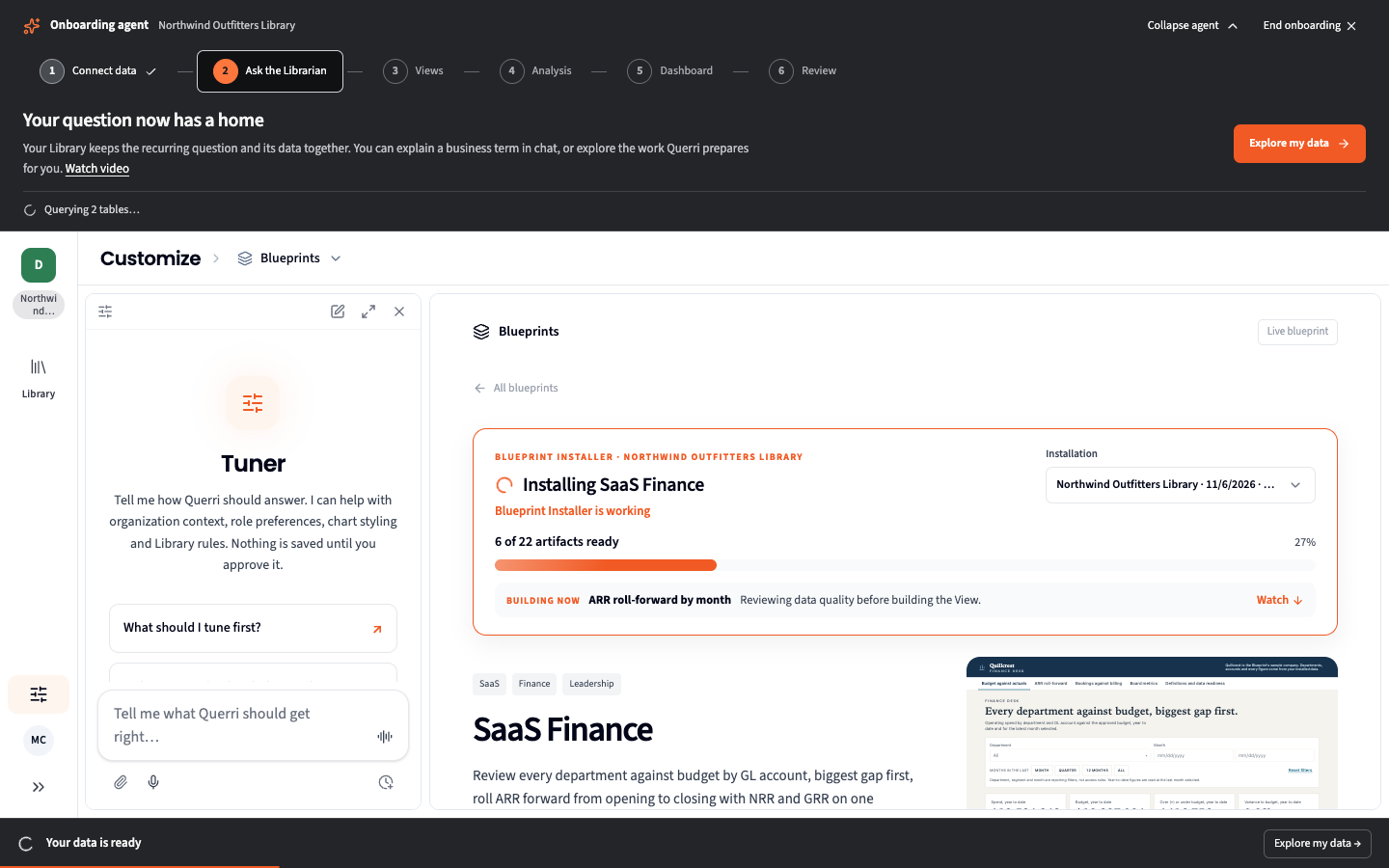
Installs now add KPIs as well, and an install that was interrupted picks up where it stopped. Blueprints are available to admins.
The Evals Desk
Section titled “The Evals Desk”The Evals Desk is where you test Querri on the questions your team really asks. Build a suite of up to 25 questions, run each one several times, and see where the answers agree and where they don’t. Add an expected answer or judging criteria to check what each answer includes. Before a run starts, Querri shows what it will cost in credits.
React to an answer, or tell the Tuner what’s wrong with it, and the Tuner proposes the change that fixes it. Run the suite again to prove the fix worked, and watch the trend across runs.
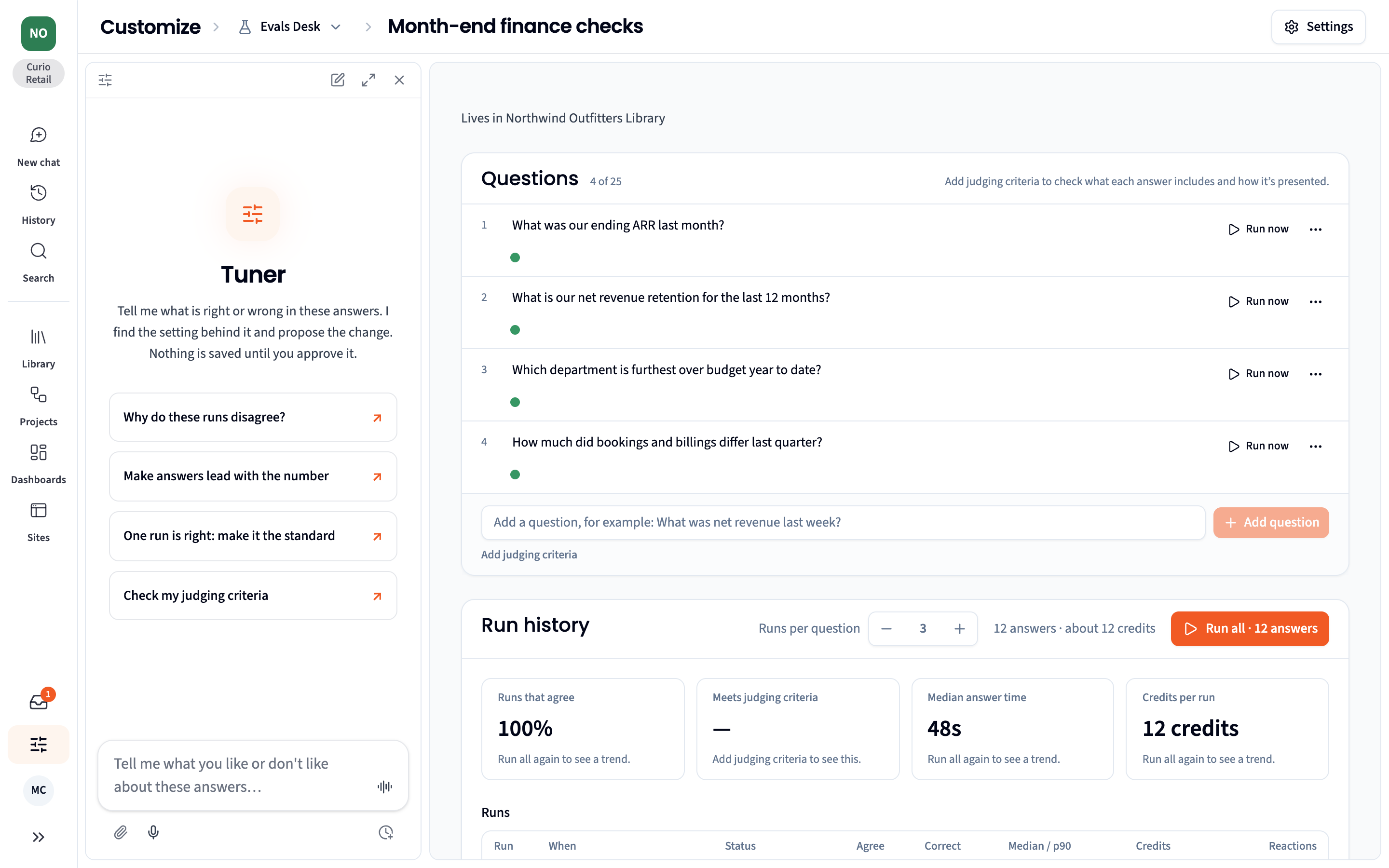
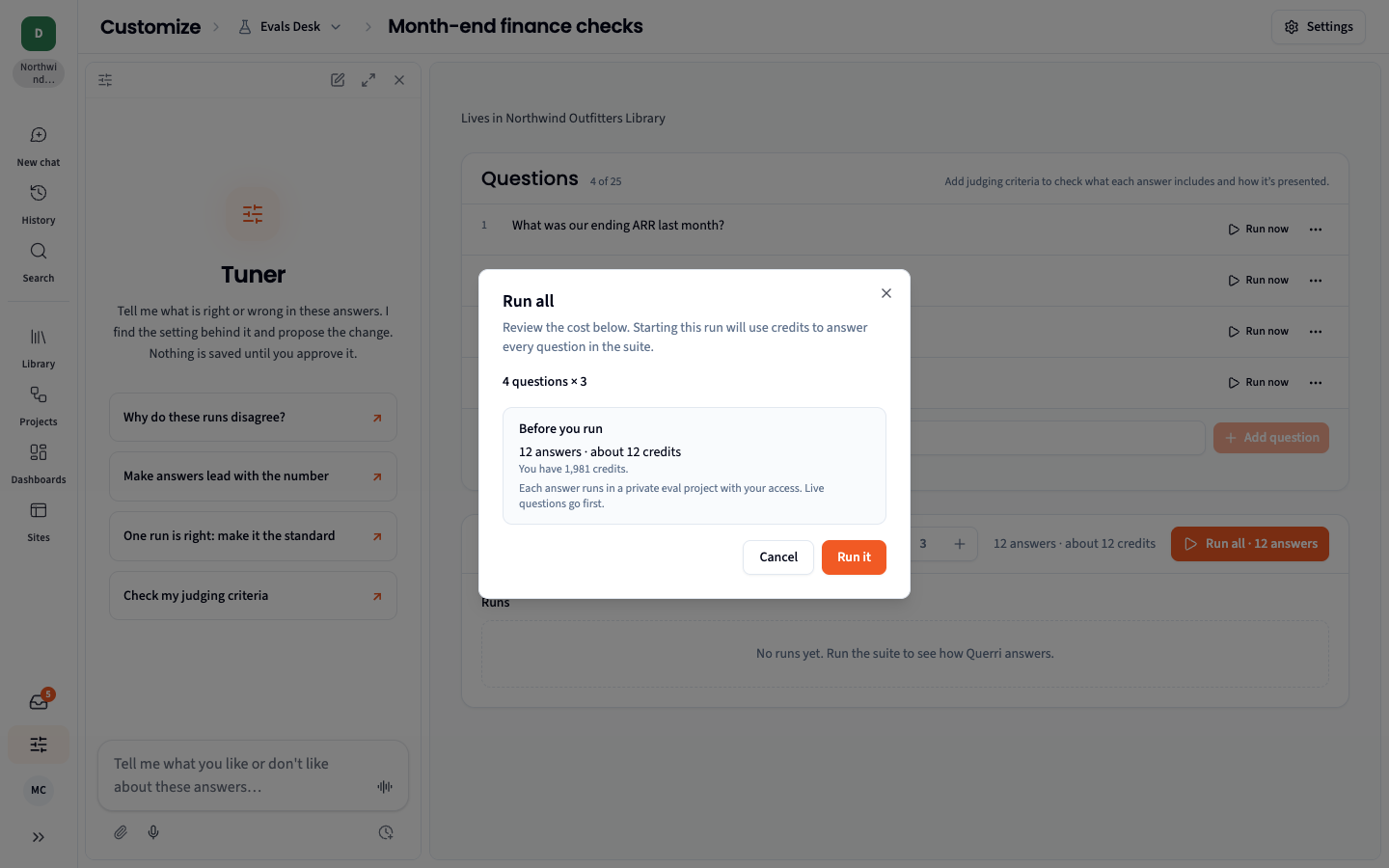
The Evals Desk is in Customize and is available on the Scale plan.
Sites turn your data into polished, multi-page web pages you can share: a finance desk, a board pack, a client portal. Describe what you want and the Sites designer builds it from your Library, or build pages from one of your dashboards. Refine any page by asking: restyle it, rewrite the copy, add a section or a page. Every version is kept, and you can export or publish a site when it’s ready.
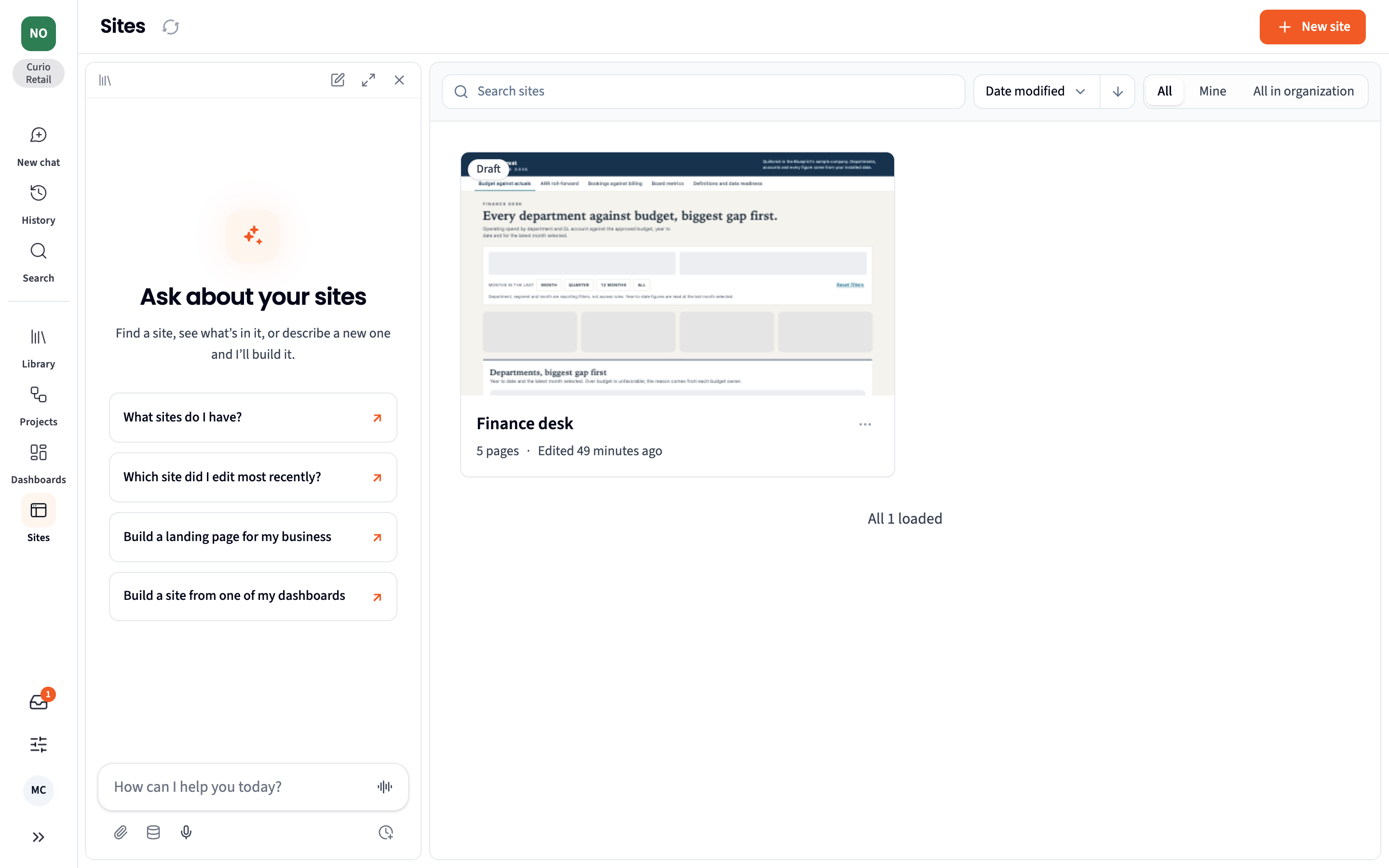
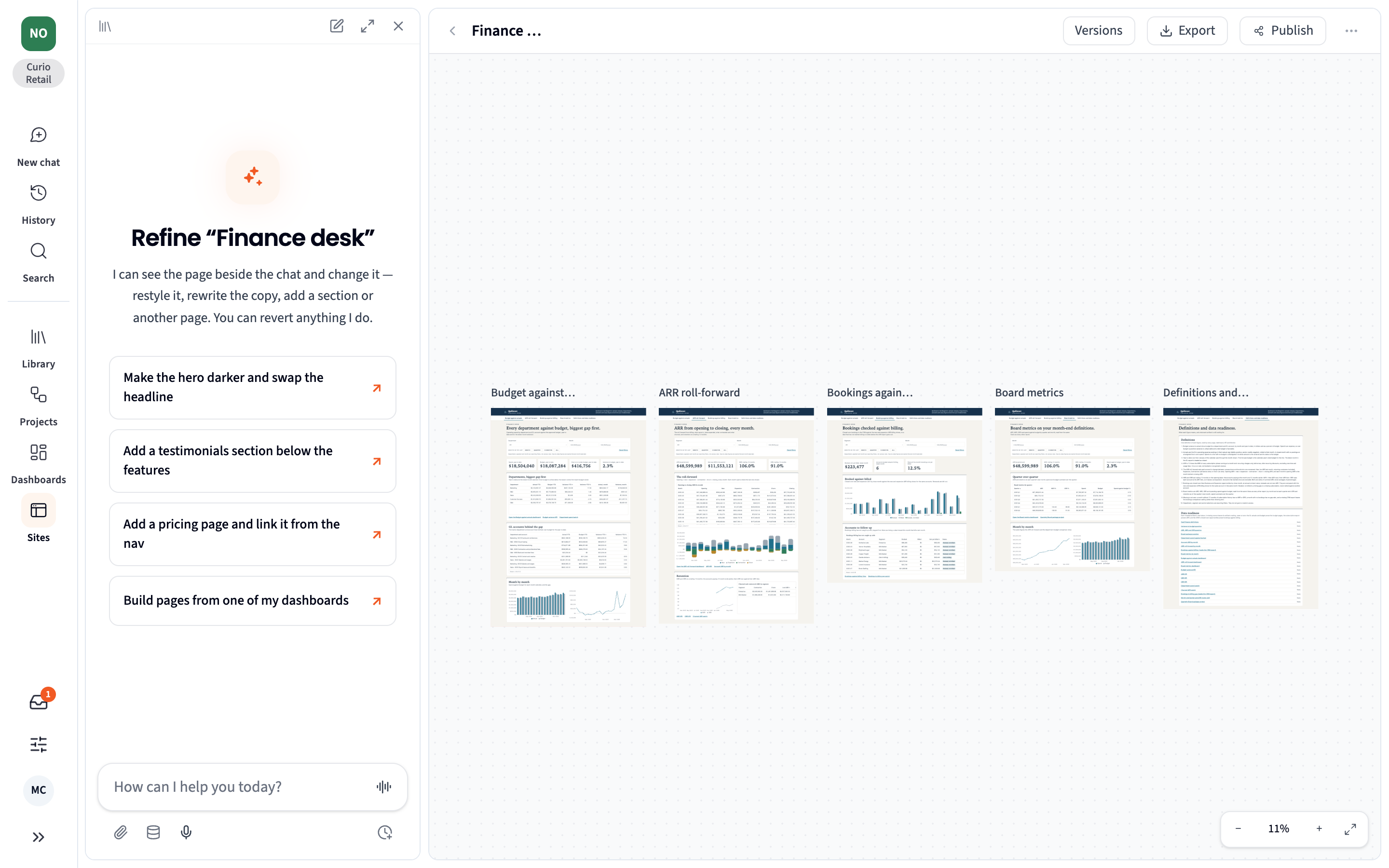
Find Sites in the rail. Some Blueprints, such as FP&A and SaaS Finance, come with Sites already built.
MCP Connectors
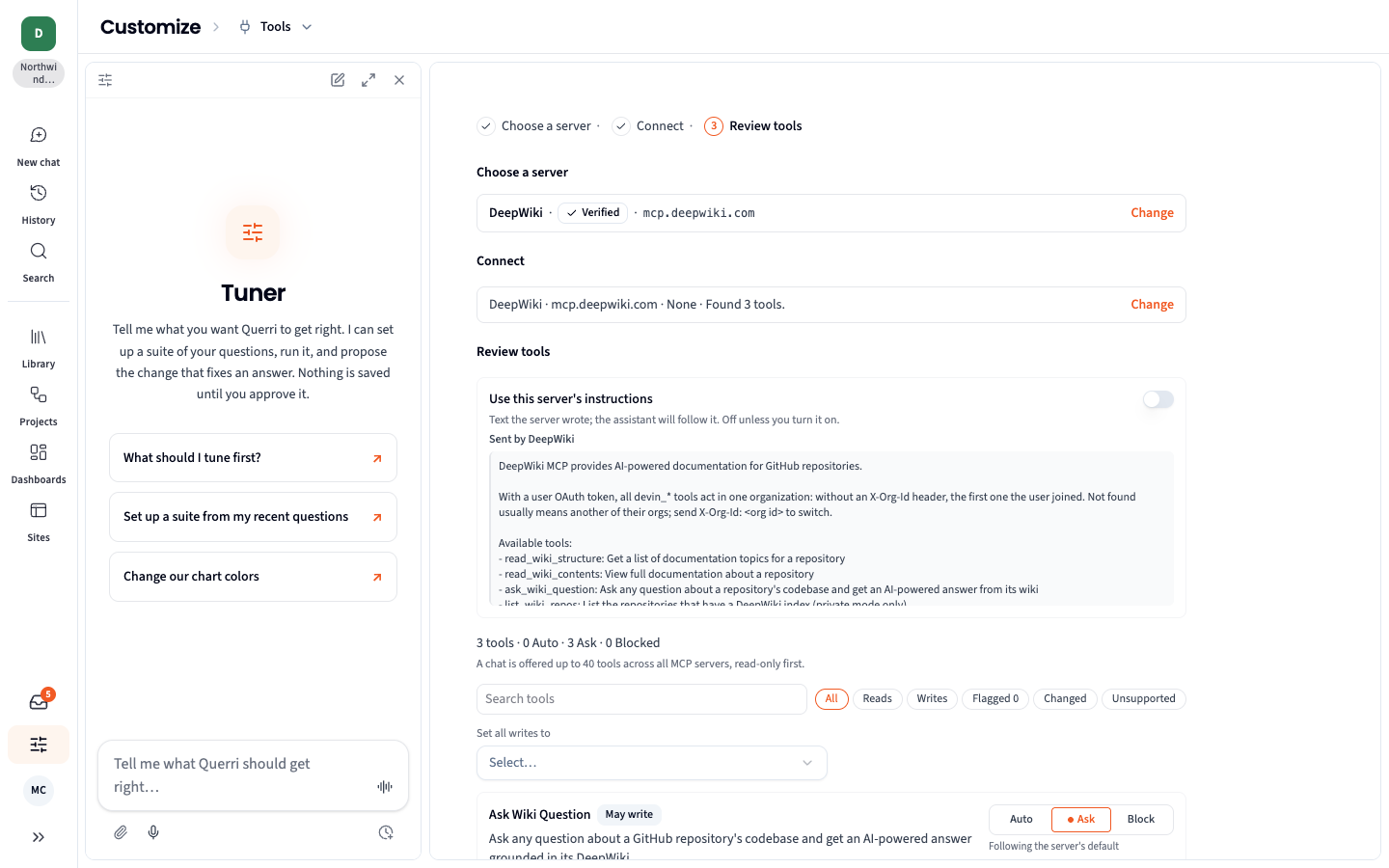
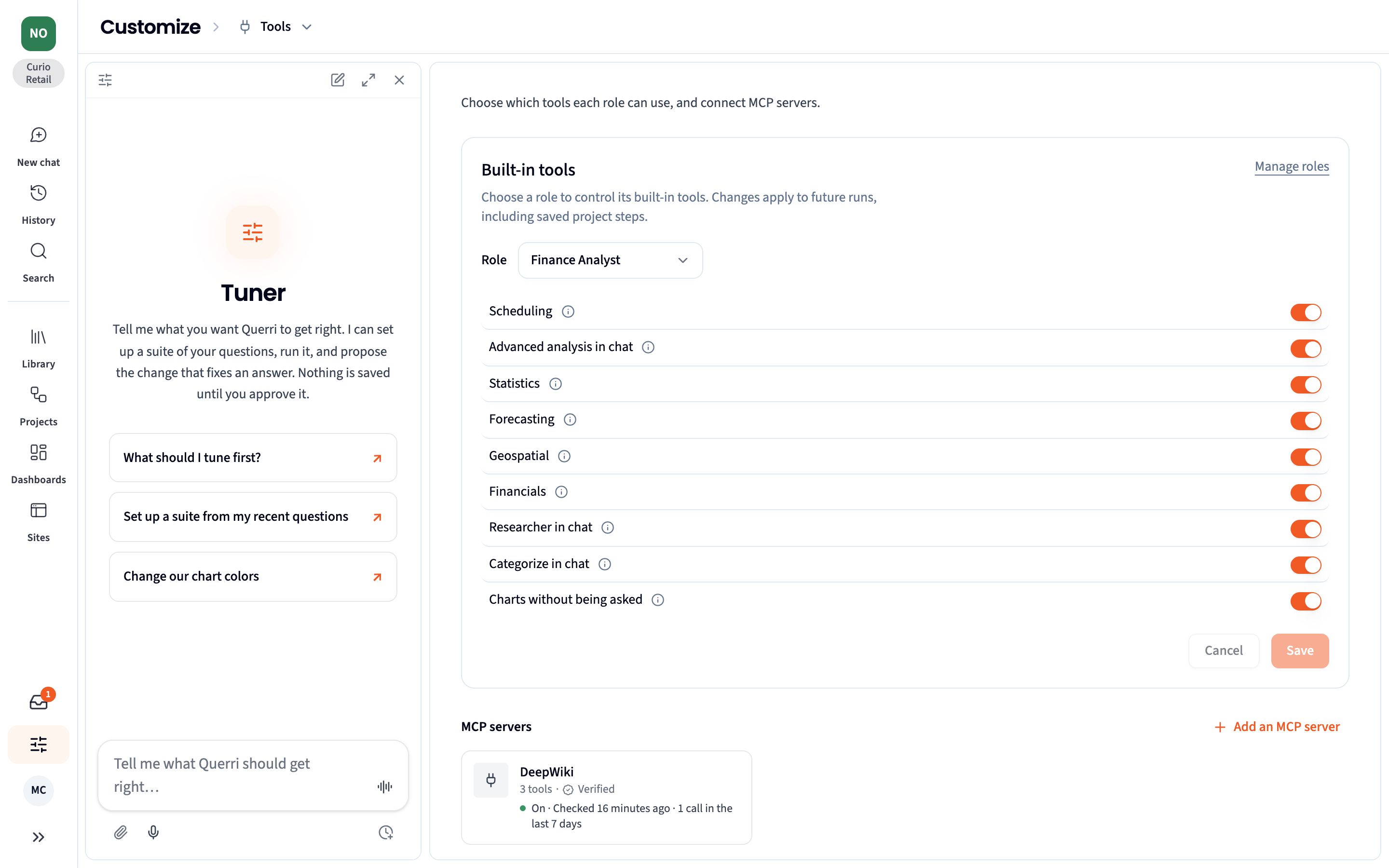
Section titled “MCP Connectors”Querri can now use tools from your other apps through the Model Context Protocol (MCP). An admin adds a server in Customize › Tools in three steps: choose a server, connect, and review its tools. Choose from 16 verified servers, including Linear, Notion, HubSpot, Stripe, GitHub and Sentry, search the public registry, or enter any MCP address.
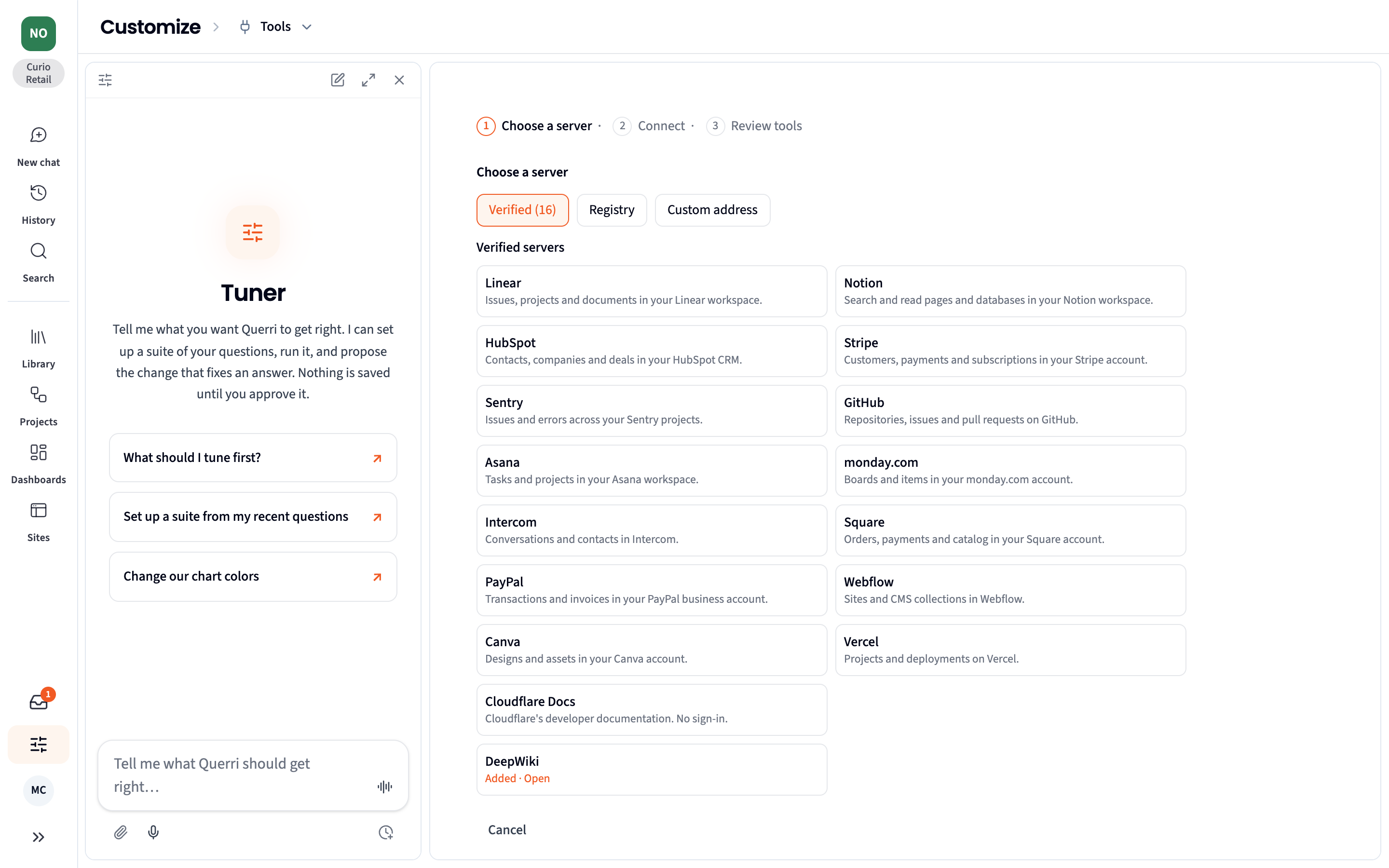
For each tool you decide whether Querri may run it automatically, should ask first, or may not use it at all. You can also limit a server to certain roles.
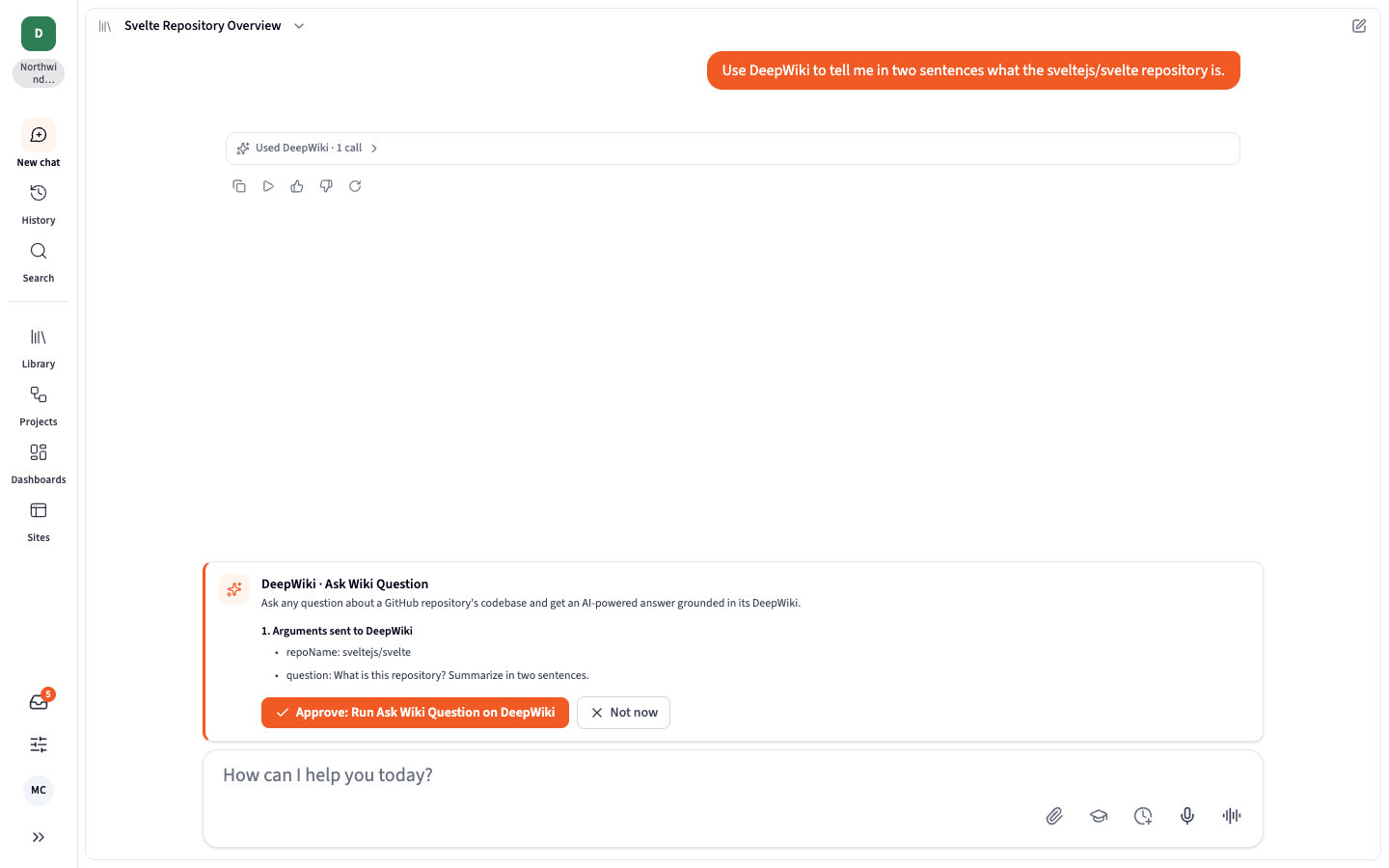
The Librarian then uses those tools in chat. When a tool is set to ask first, Querri shows exactly what it will send and waits for your approval. Projects can also use MCP tools as a step, including on a schedule.
MCP connectors are available on the Business plan and above.
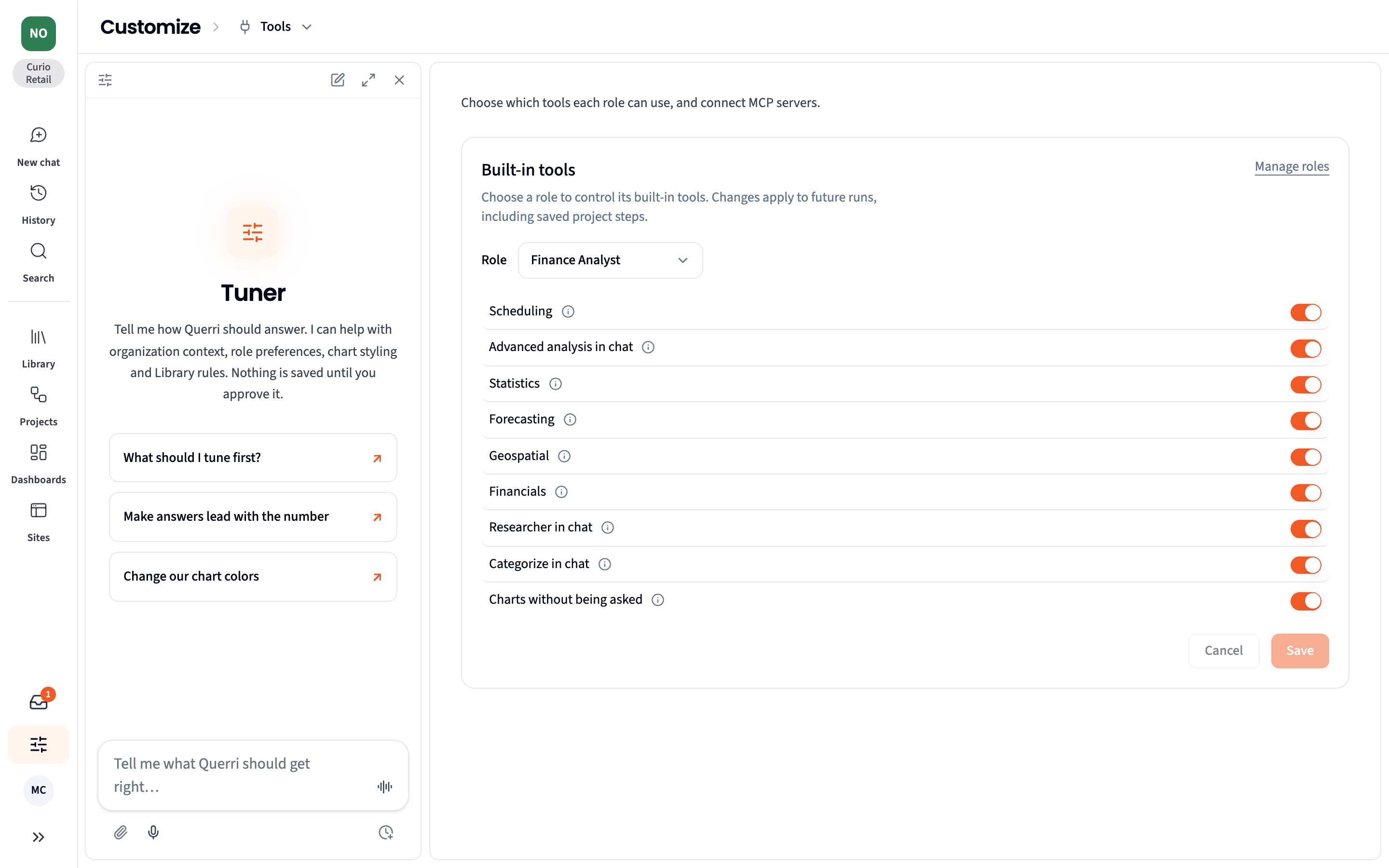
| Without MCP | With MCP |
|---|---|
 |  |
Custom Roles
Section titled “Custom Roles”Create your own roles for the different kinds of people who use Querri. Start a role from Admin, Creator or Guest, or by duplicating another custom role. Apply a preset such as Embedded end user, Client admin or Chat & dashboards only, then turn individual permissions on or off. There are 75 of them, grouped into areas such as Library, Connectors, Dashboards, Sharing, Chat, Tools and Admin. A live preview beside the editor shows Querri the way someone in that role will see it.
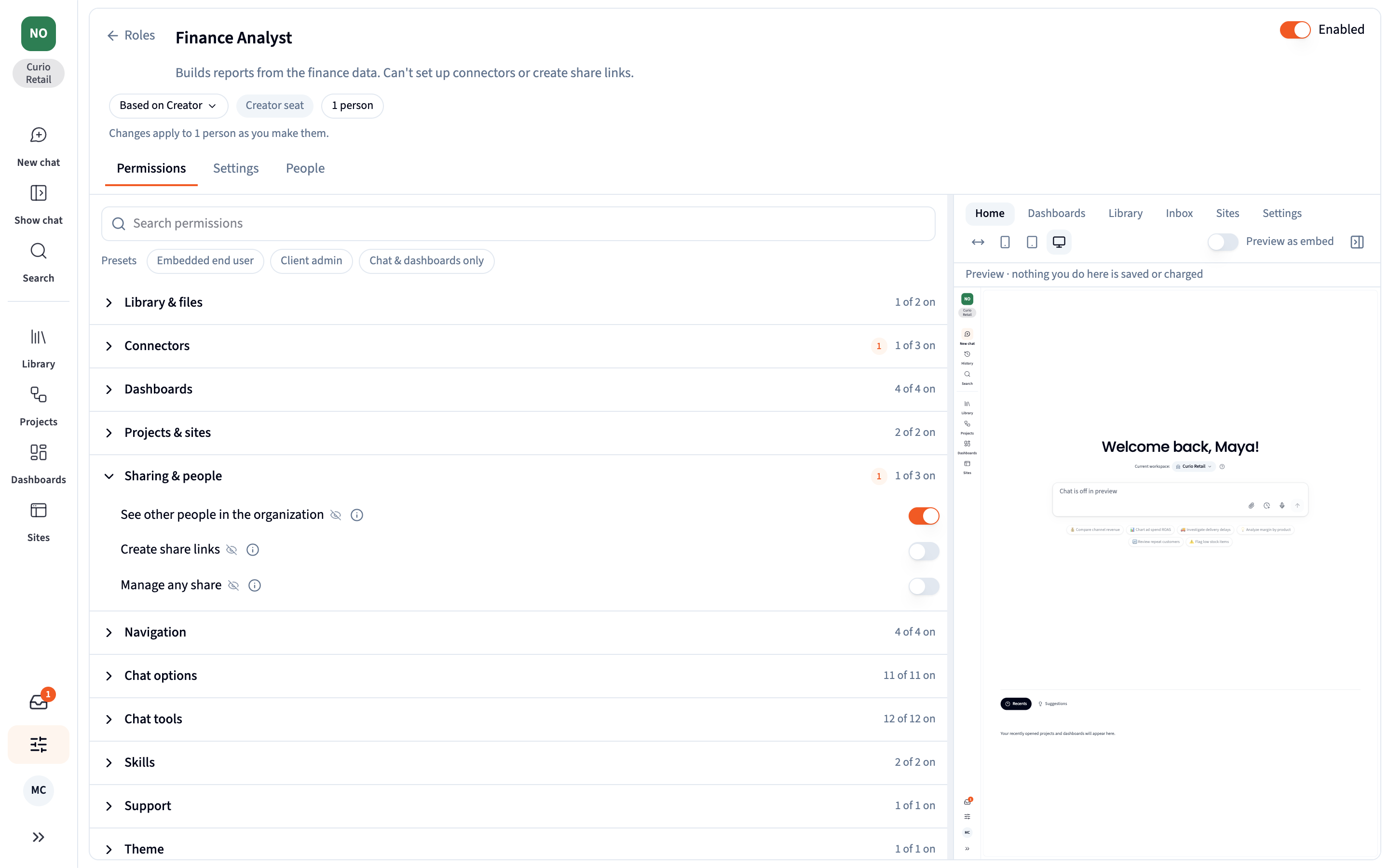
A role can also set:
- where people land when they sign in
- where questions typed in New chat go
- a monthly credit limit
- extra or replacement instructions for how Querri answers them
- an app theme, a support contact and data access policies
New permissions this month control whether people can see generated code, get charts without asking for them, schedule work, use the statistics, forecasting, geospatial and financial tools, approve definitions, and use MCP tools.
Assign a custom role when you invite someone. Roles live in Customize › Roles, and you can manage them from the API with /v1/roles.
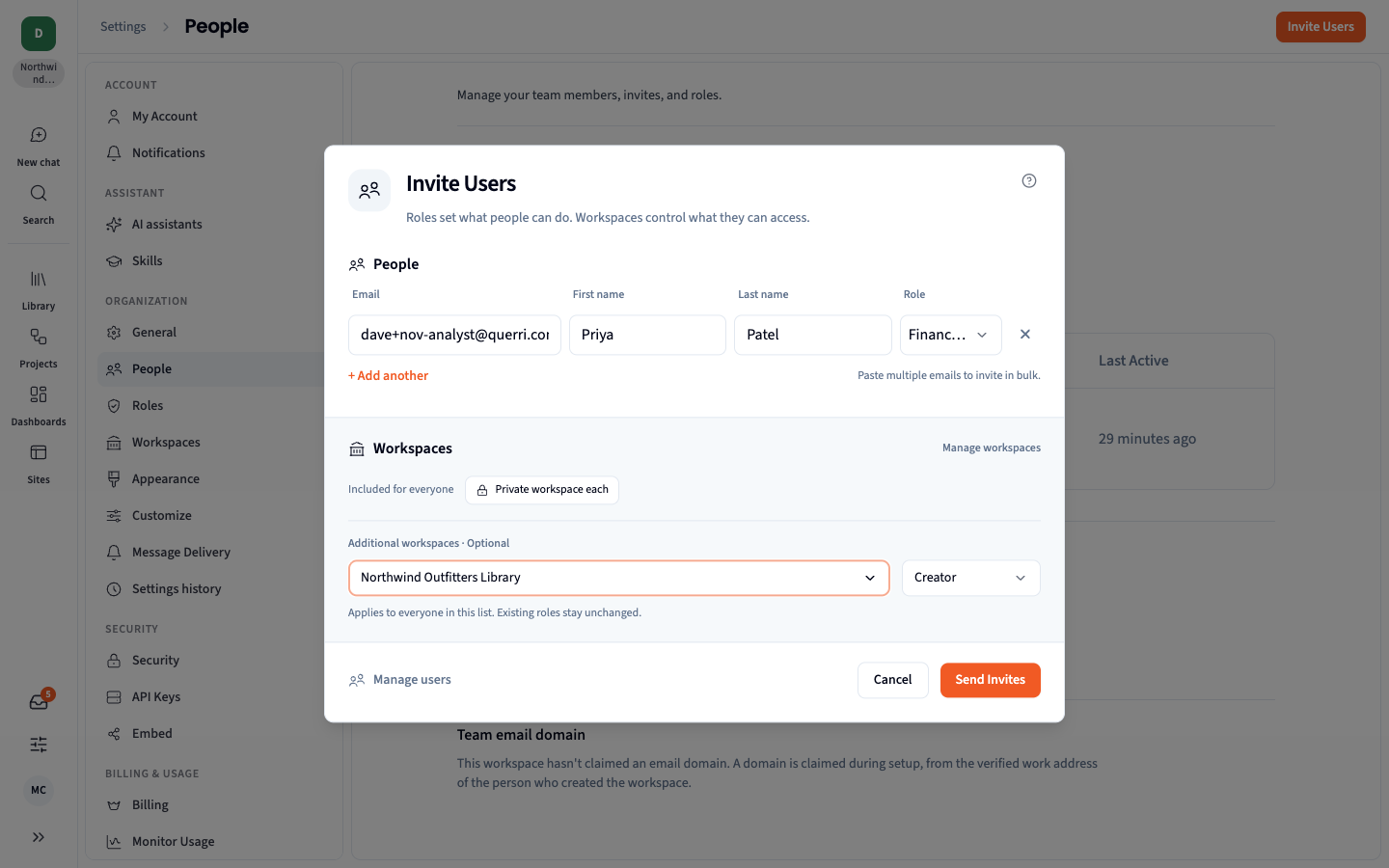
A Shorter, Guided Onboarding
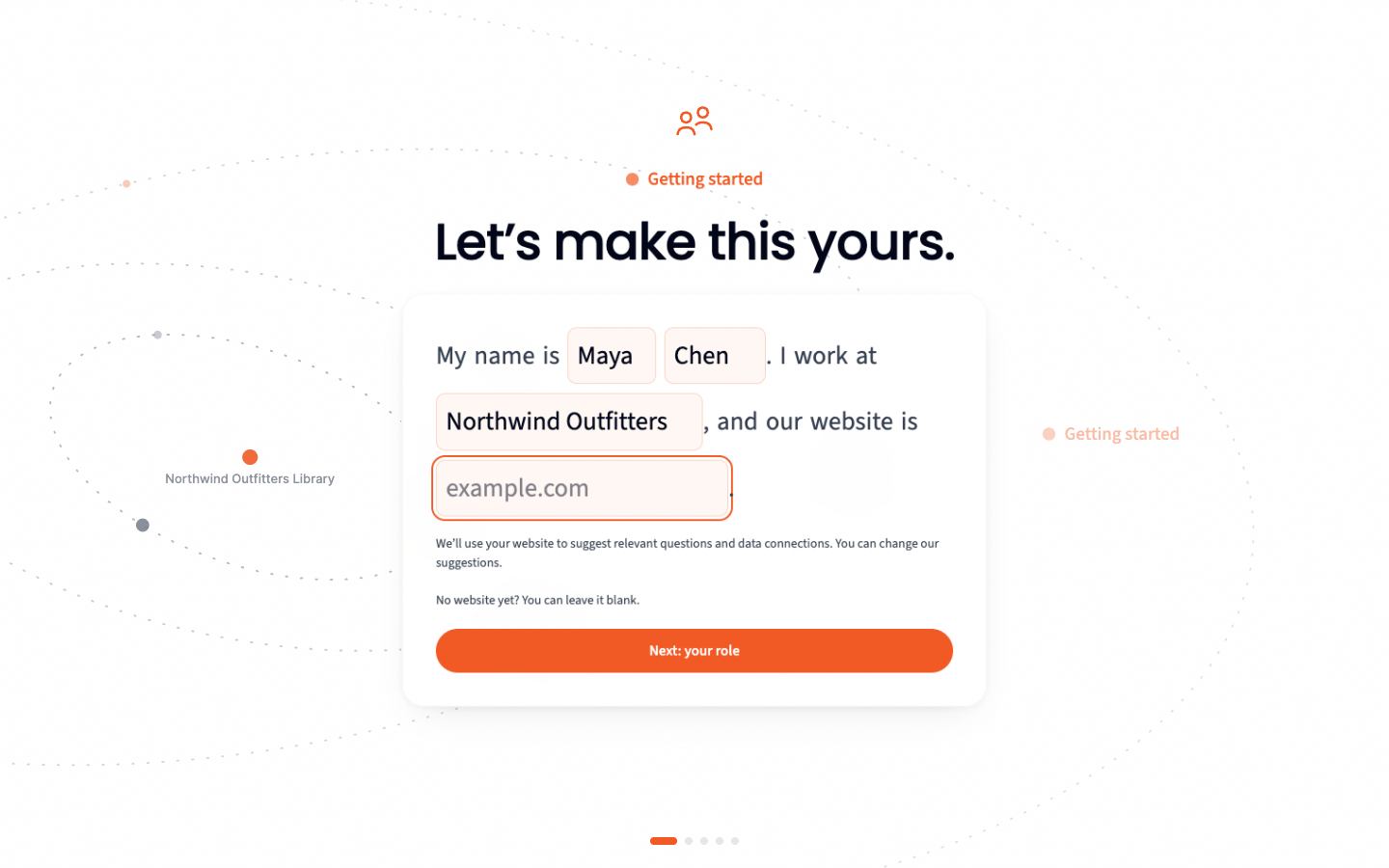
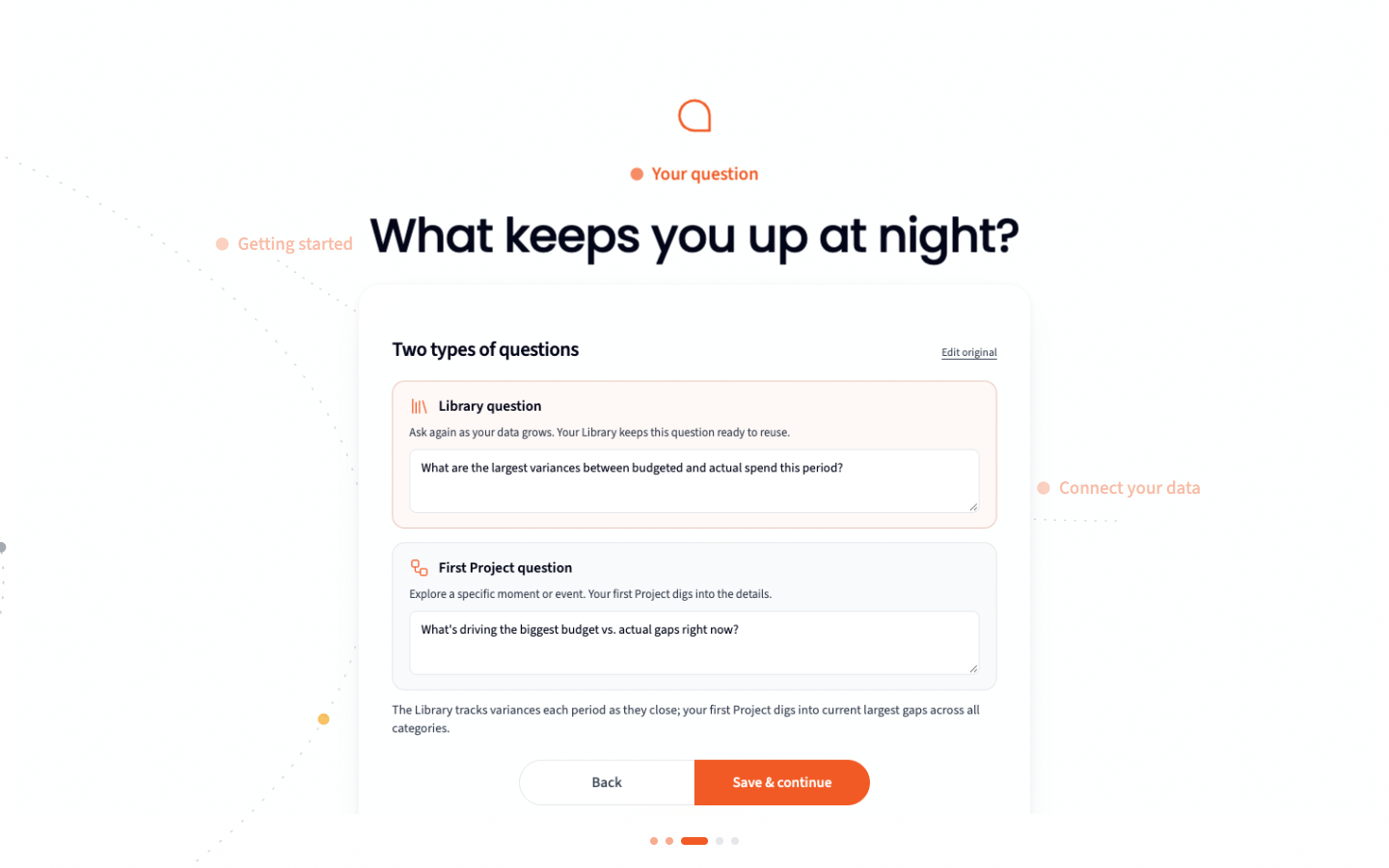
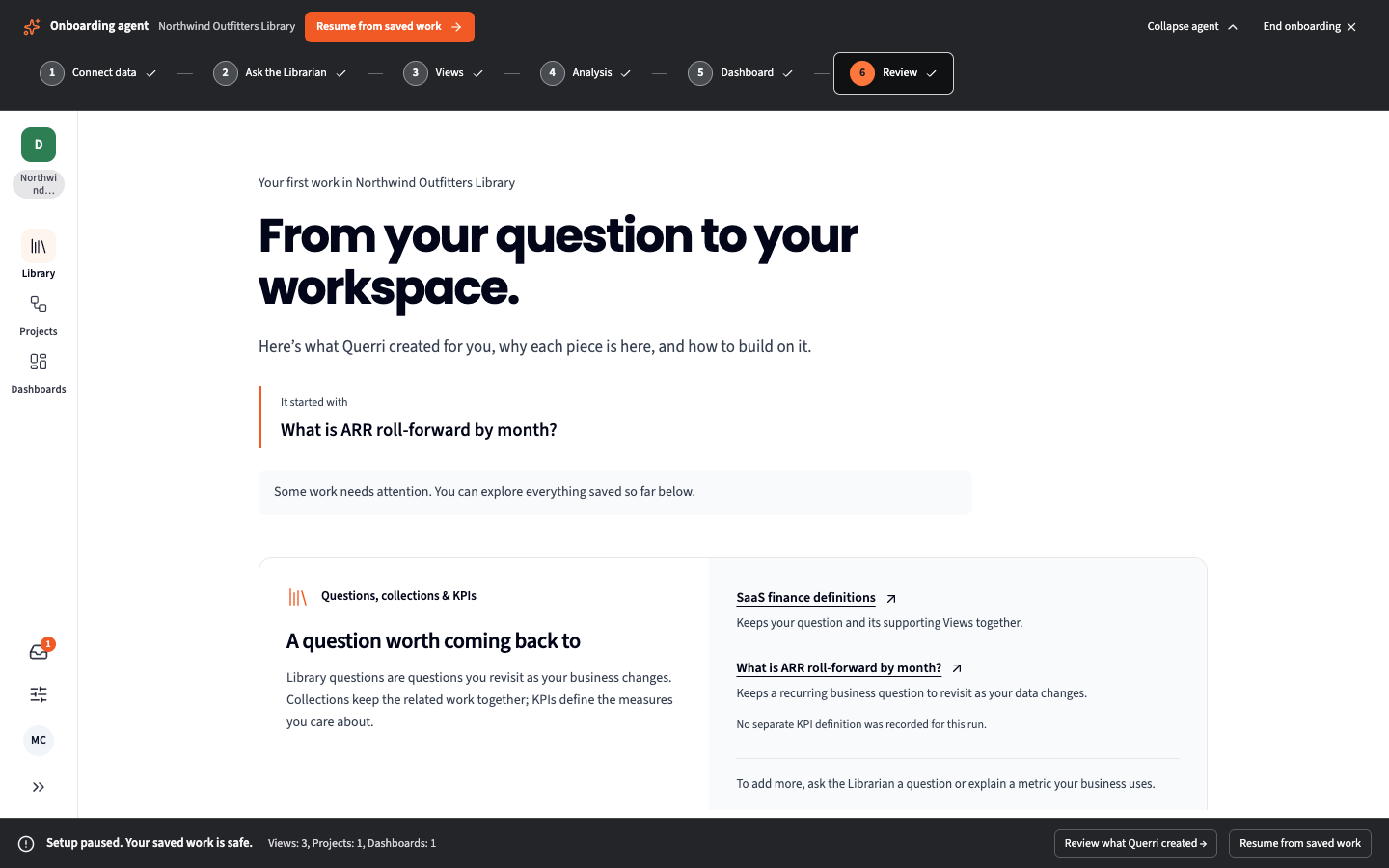
Section titled “A Shorter, Guided Onboarding”New accounts start with a short conversation: your name and company, your role, and the business question that matters most to you. Querri shapes that question into one to keep in your Library and one to explore right away. An onboarding guide then walks you through six steps: connect data, ask the Librarian, Views, an analysis, a dashboard, and a review of everything Querri built for you.
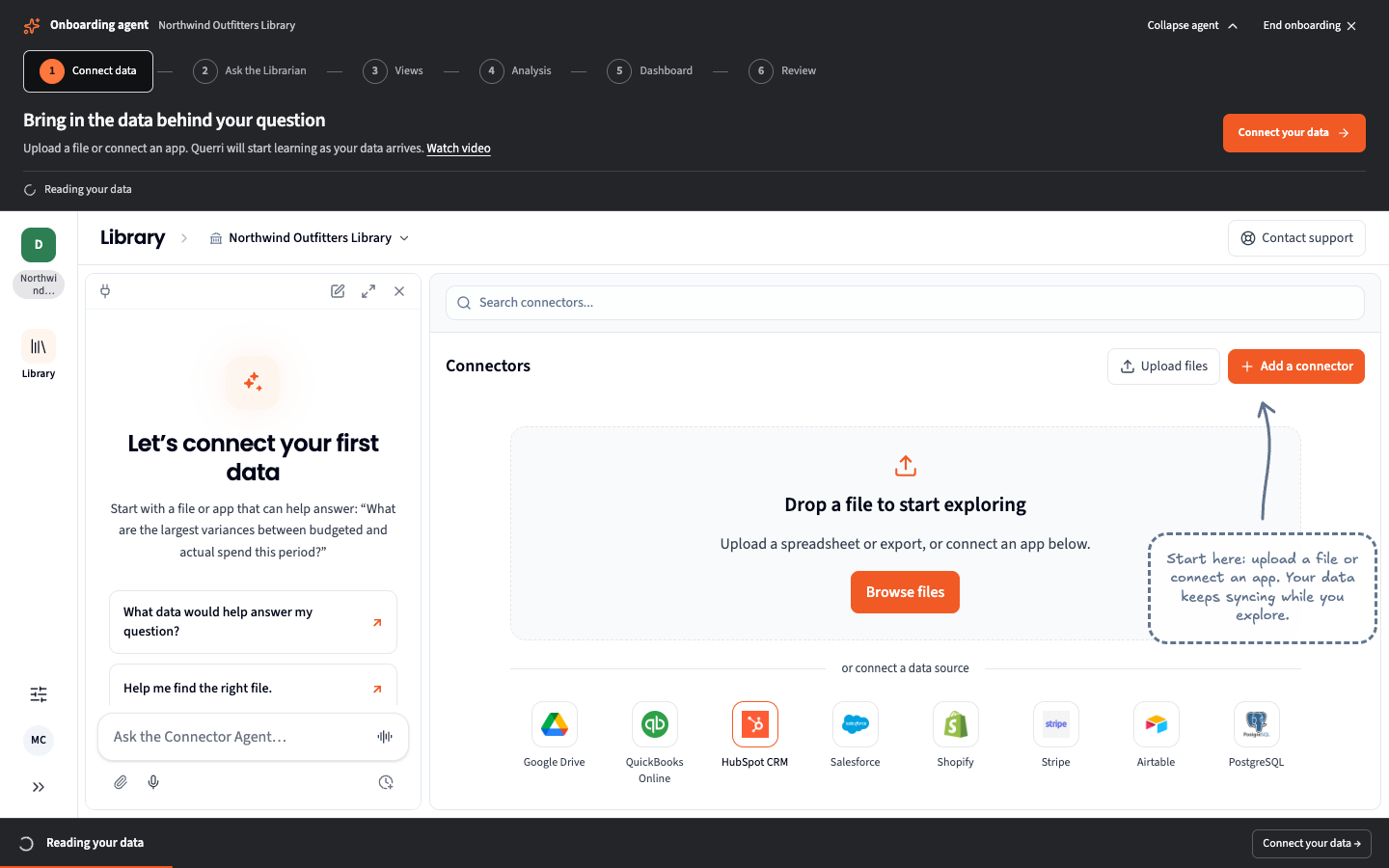
Don’t have data handy? Install a Blueprint with its example data and onboarding carries on with it.
Improved
Section titled “Improved”Library
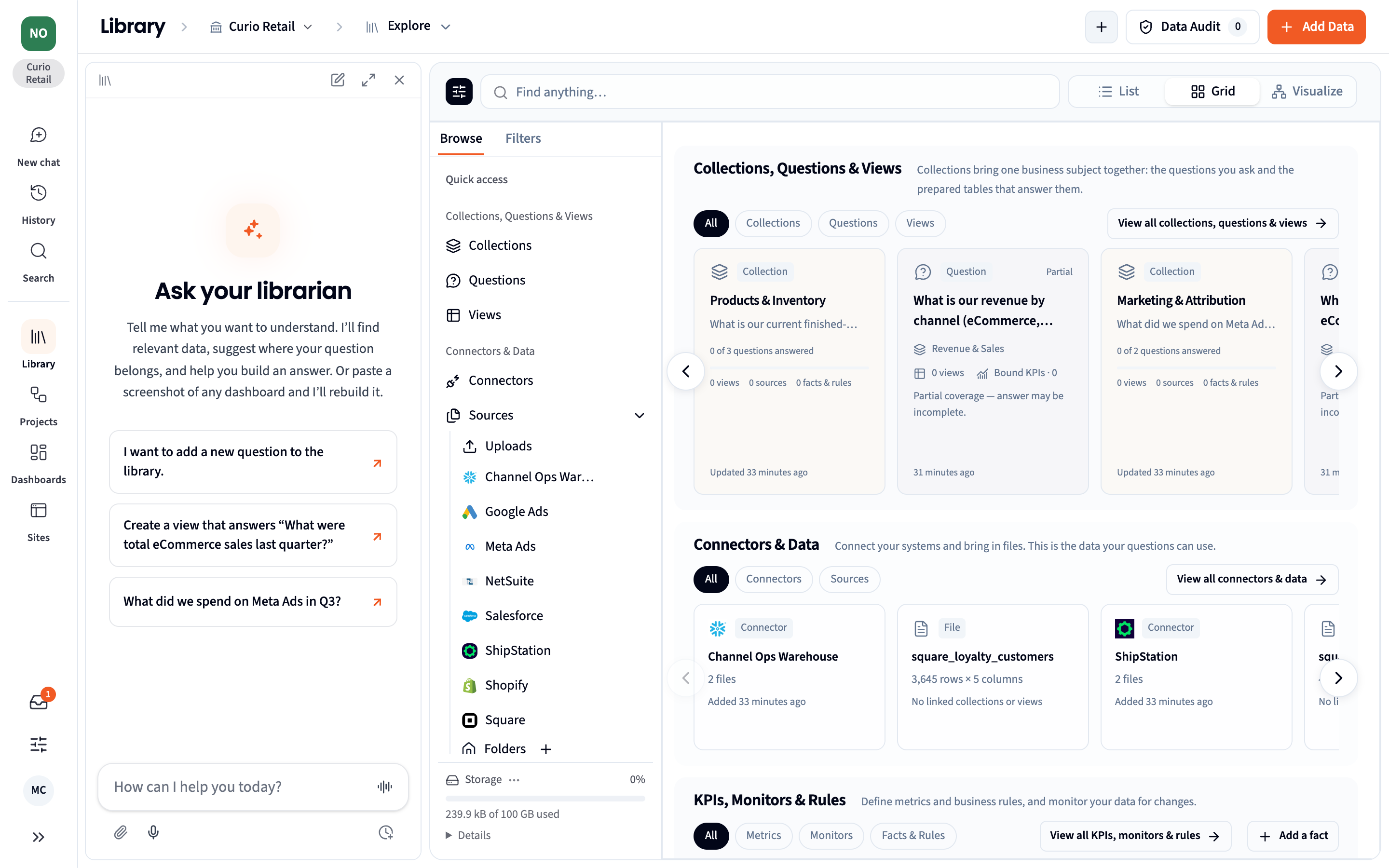
Section titled “Library”- List, Grid or Visualize. The Library now has three views. List and Grid include a Browse panel that groups sources by uploads and by connector, keeps Views separate, and has its own Filters.
- Move things between workspaces. Right-click a connector or View in the Library and choose Move to workspace. A connector moves with its tables.
- Fix a broken View in place. When a View’s input is deleted, it says so in plain words and offers Why this view failed, Replace with…, Edit SQL and Save and rebuild. Querri warns you before you empty a file from the Trash that Views still read.
- Built from and Used to build. A View’s details list only its real inputs, and a new Used to build group lists what depends on it.
- X-ray any number. Hover a figure in an answer and choose X-ray this number to see the work that produced it. Librarian answers now have X-ray too.
- Definitions keep their history. Views, KPIs and monitors keep every version with its author. Compare versions, restore one, and see the impact of an edit before it lands. An optional setting in Customize › Organization Context asks for approval of definition changes.
- Fiscal calendar. Set your fiscal year start and pattern once, and KPIs and analyses use it.
- Rows a file can’t read are kept aside with the reason, instead of being lost. Preview or download them from the Data Audit.
- Schema changes are caught. When a sync adds, removes or retypes a column, Querri sends one notice naming the Views, KPIs, projects and dashboards affected.
- One spreadsheet viewer everywhere, with Read-only and Edit modes for people who can manage the file.
- Legacy
.xlsfiles can be uploaded.
Dashboards
Section titled “Dashboards”- Where does this come from? Every tile can trace its numbers back to the source tables, with each table’s connector and last sync.
- See what a filter changes. Hover a filter to highlight the widgets it affects. Widgets it can’t change are marked.
- Star dashboards to keep them in the rail.
- A metric card that shows ”—” now explains why, and the dashboard assistant can fix it.
Sharing and Access
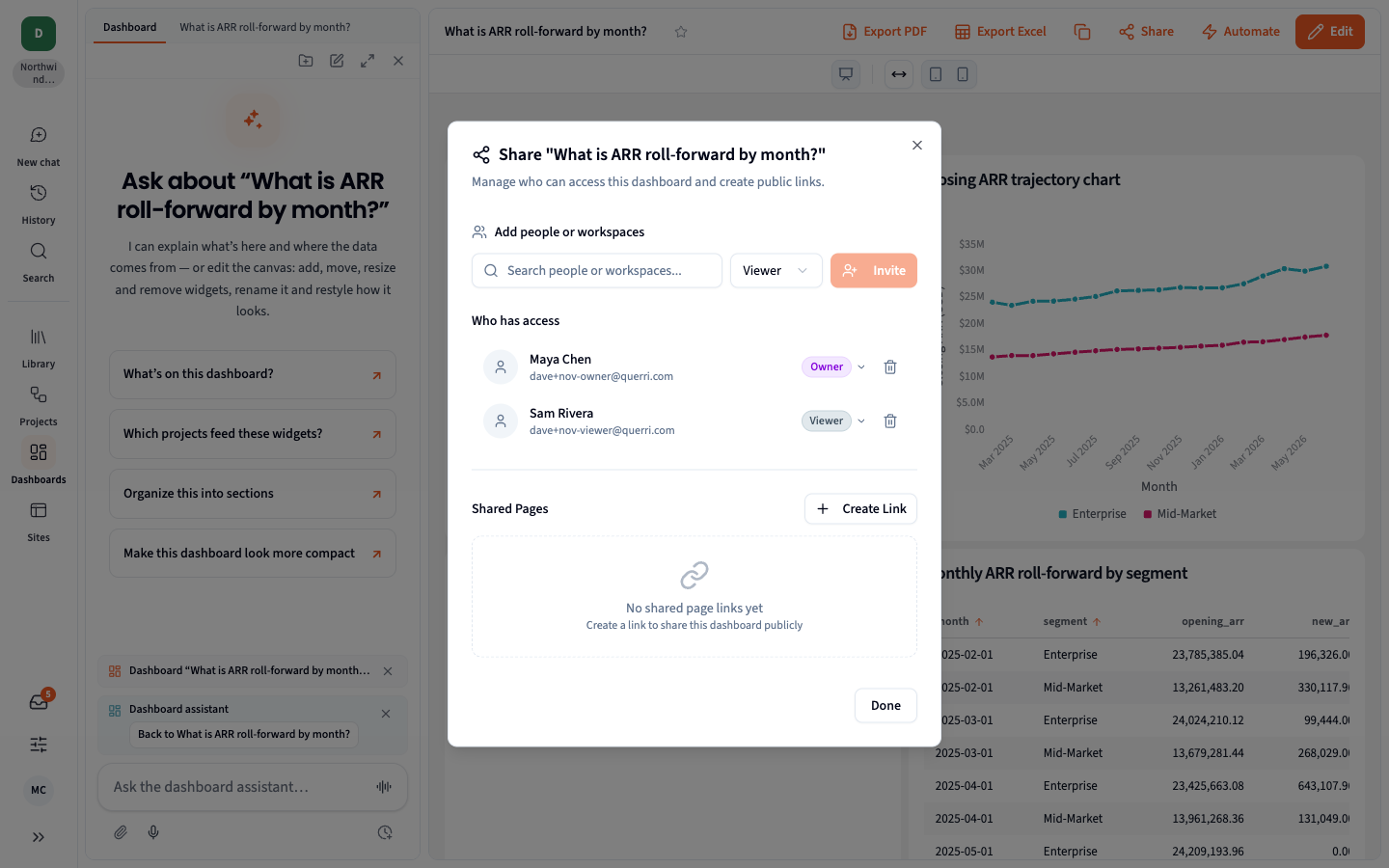
Section titled “Sharing and Access”- Projects and dashboards start private and are shared with people or with a whole workspace.
- Someone who opens a link they can’t use sees a clear page with Request access.
Projects and Chat
Section titled “Projects and Chat”- Faster answers to questions a single View can answer.
- Money in captions uses your data’s own currency.
- Data from, beside the chat box, sets which workspace a project reads.
- Wrapped presentations keep real slide titles and keep your slides when revised, and Excel exports finish in under a minute.
Connectors
Section titled “Connectors”- Smart incremental sync for Postgres and Redshift. Querri recommends incremental sync where it’s safe and makes the first full load resumable.
- Incremental sync for SQL Server and ODBC, with schedules that can’t work refused instead of silently re-reading everything.
- Failing schedules stop themselves and tell the owner.
- Sync status reads correctly: Syncing, Waiting, or a warning for a partial sync.
Notifications
Section titled “Notifications”Settings › Notifications has a toggle for each event in the Inbox and by email. Email can arrive as it happens or as a daily or weekly summary. Admins can set organization defaults.
Reliability
Section titled “Reliability”| Area | Improvement |
|---|---|
| Long chats | Long chats that mix spreadsheets and databases no longer end without an answer. |
| Server freezes | A fix for a freeze that could stall everyone on a server for minutes. |
| Large Views | Views build without copying every input on each attempt, which was slowing some builds to 20 minutes. |
| Syncs during updates | A sync in progress while Querri updates hands its remaining tables back instead of failing. |
| VPN connectors | One VPN tunnel per connector, so no more 30-second timeouts. |
| Empty syncs | A full sync that returns no rows keeps the existing data. |
Bug Fixes
Section titled “Bug Fixes”| Issue | Fix |
|---|---|
| New chat joined an old project | New chat starts a new project unless you name an existing one. |
| Inbox stopped finding discoveries | One closed approval card no longer stops new discoveries for the whole organization. |
| Built from listed the wrong Views | It lists only the View’s real inputs. |
| Column stats after a schema change | They read the current columns. |
| Chart owner saw “Only people with access…” | Owners see their own charts. |
| Shared browsers in embeds | An embed always acts as the person in its token. |
| Editors became viewers | Shares that were Editor before the access update are restored. |
| Charts with dropdowns or sliders | They draw correctly. |
| Workbook view failed | Workbooks no longer fail with “not a valid zip package”. |
Release Date: November 2026