
Voice Mode
Voice mode lets you talk to any agent instead of typing. Querri listens, sends what you said as your message to the agent on the page you’re on, and speaks a short summary of the answer back while the full answer appears on screen.
Who can see this: everyone whose role allows Use voice, in organizations that haven’t turned voice off. Voice uses credits.
Start voice mode
Section titled “Start voice mode”- In any chat box, press the voice button. While the box is empty it sits where Send is.
- Allow your browser to use the microphone the first time.
- Say what you want. Take your time: press I’m done speaking when you’ve finished, or just pause.
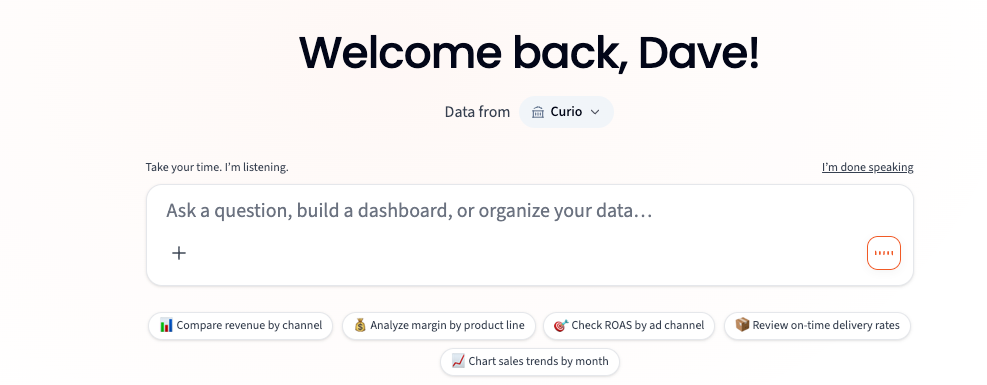
While the agent is answering you can speak or tap to interrupt. If you speak while it’s still answering, Querri says “Heard you. This will send after the current reply.” Press the voice button again (End voice) to stop.
What voice changes
Section titled “What voice changes”- The agent you’re talking to stays the same agent, in the same conversation. Voice only changes how you talk to it.
- Spoken replies open with what was found or changed, then suggest the next step. The full answer, with its tables and charts, is on screen.
- When you move to another page, the agent tells you where you are and what you can do there.
- Anything that would change your data still appears as a card on screen for you to approve.
Voice settings
Section titled “Voice settings”Right-click the voice button (or press Shift+F10 on it) for Voice settings:
- Voice: choose the voice that reads replies.
- Speaking speed
- Voice consistency: how much the voice varies from reply to reply.
For admins
Section titled “For admins”Settings › General › Voice limits controls voice for the whole organization.
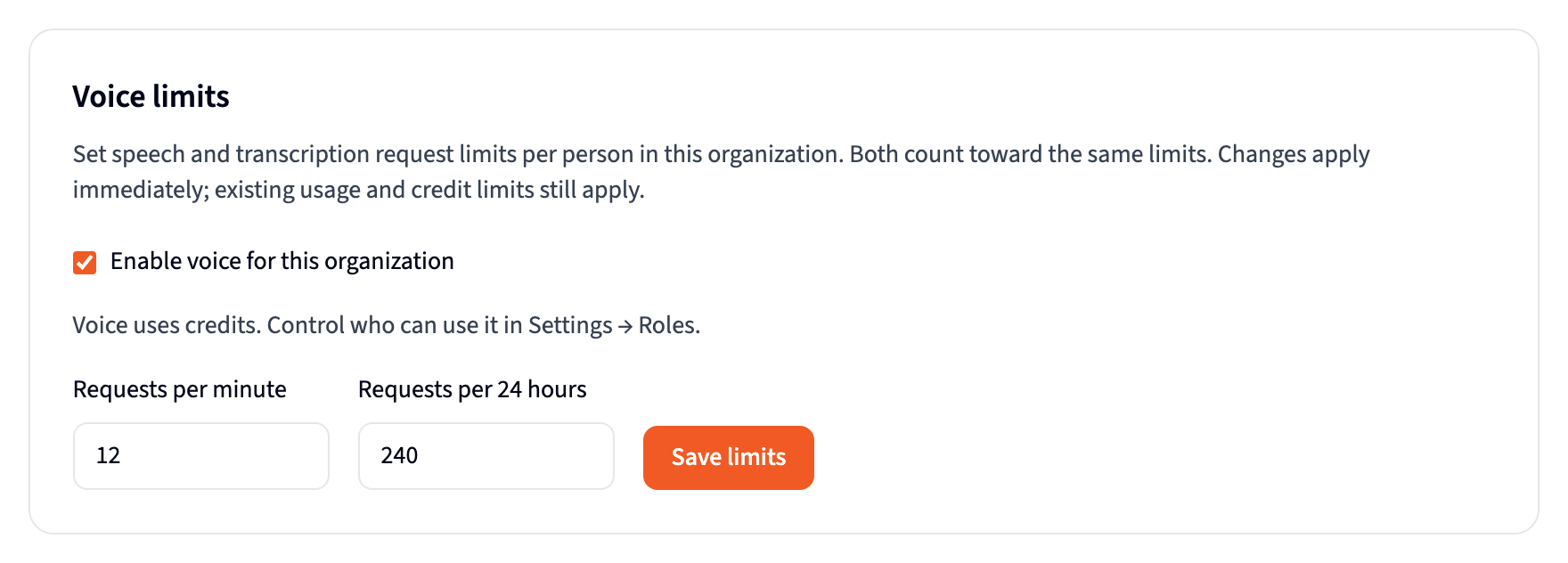
- Enable voice for this organization: turn voice off for everyone. Requests are refused before anything is charged.
- Requests per minute and Requests per 24 hours: per-person limits. Speech and transcription count toward the same limits. Your credit limits still apply on top.
To control who can use voice, edit a custom role in Settings › Roles and allow or deny Use voice.
Voice isn’t available in embedded Querri or through the API. In a browser that can’t record audio, Querri says “Voice isn’t available in this browser. You can still type.”