
Collections
“How’s revenue doing?” never stays one question for long. It turns into questions about channels and customers, a few tables, a couple of rules about what counts, and a number somebody checks every month. A collection keeps all of that together, so nobody has to rebuild the context each time the subject comes up.
The idea
Section titled “The idea”A collection is one business concern, anchored by a question. If you think of it as a category of questions, you’re close, as long as you remember it also holds what answers them.
A collection’s page is laid out like this, from the top.
| Section | What it shows |
|---|---|
| Coverage | How many of its questions are answered, with a bar split into Answered, Partial and Open. |
| Main question | The anchor question the collection is built around. |
| Follow-up questions | The refining questions under it. Each card shows the question’s status, chips for the KPIs that measure it, and the views that answer it. |
| Other views | Views in the collection that don’t answer any of its questions. |
| Facts & rules | The facts recorded along the way, each one in full. |
| Sources | The tables the collection draws on. |
KPIs don’t get a section of their own. They sit on the questions they measure, which keeps each number next to the reason you track it.
There’s no button to make a collection, and that’s deliberate. Collections come from onboarding, from the Librarian as you chat, from accepting an Inbox card, and from a new view that needs somewhere to live. If a collection with the same name already exists, Querri adds to it instead of making another. When duplicates do turn up, a Cleanup card in the Inbox offers to merge them. The same kind of card can offer to attach views that don’t answer any question yet.
Coverage is the part to read first. It tells you, for one concern, which questions have a view behind them and which don’t. Other views is worth a look too. A view that answers none of the collection’s questions is either answering one that nobody has written down, or it doesn’t belong there.
An example
Section titled “An example”Curio’s Library has collections such as Revenue & Sales, Operations & Fulfillment, Customer 360 and Refund Rate.
Revenue & Sales is anchored by “What is our revenue by channel (eCommerce, retail, B2B)?” Its follow-up questions break that down: “What is the average order value for eCommerce?”, “What were total eCommerce sales last quarter?”, “What is the total revenue per customer?” and more.
That last one is answered by the view Revenue by customer. So its card shows Answered, with a card for the view underneath that says whether the view is ready, how many rows and columns it has, and when it was built.
Other questions in the collection don’t have a view yet. They’re the to-do list for Curio’s revenue picture, and the coverage bar shows how long that list is. On any of them, + Build a view to answer this opens Librarian chat with the request already written, ready for you to send.
Where it lives in Querri
Section titled “Where it lives in Querri”Collections are listed on the Collections tab in the Library, and in the Collections section of the browse panel. Click one to open its page.
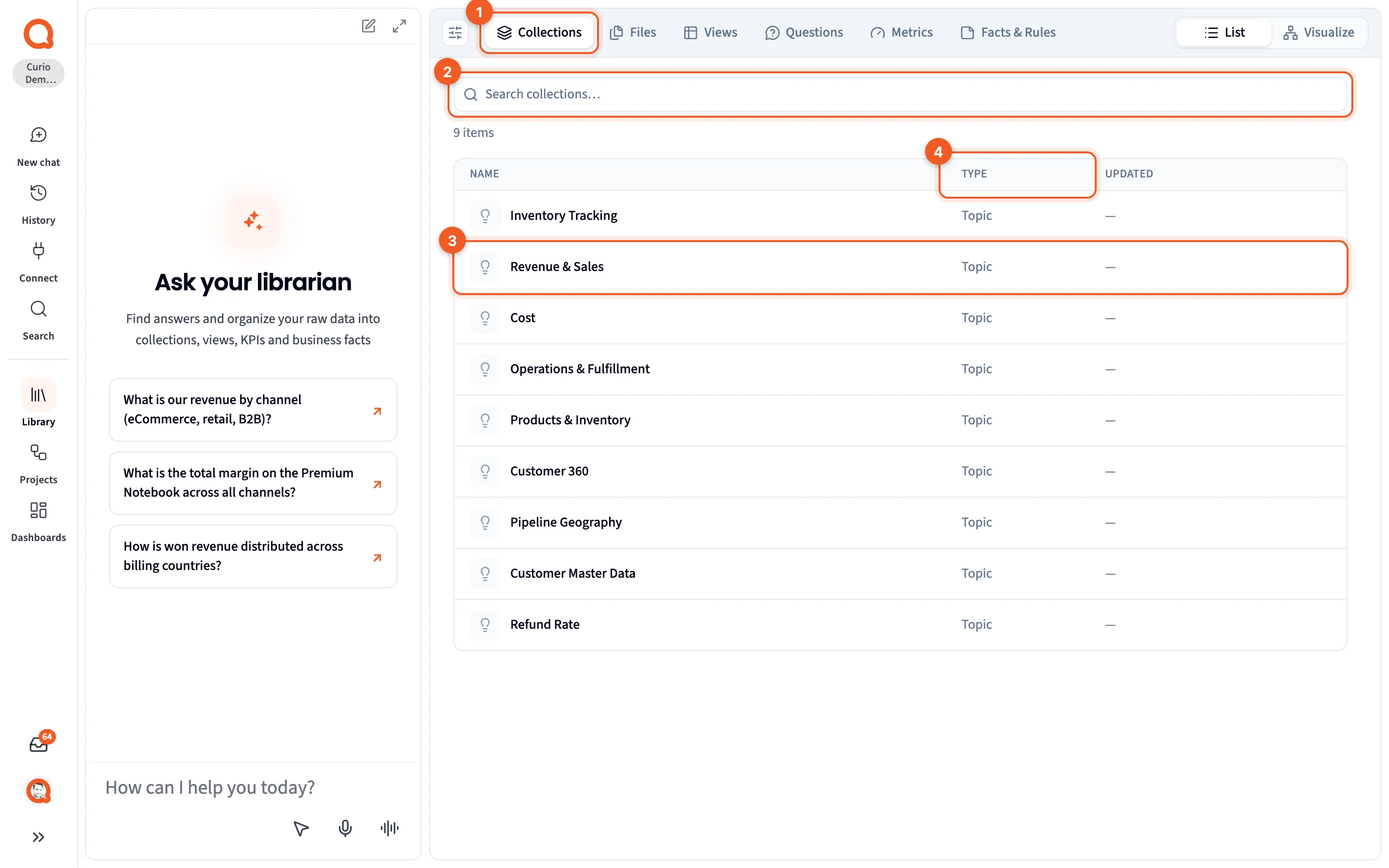
- Collections: the tab.
- Search collections…: filter the list by name.
- A collection: click it to open the collection page.
- TYPE: every collection on this tab is listed as a Topic.
On the Visualize map, a collection is a box. Its questions are listed inside, each one followed by the views that answer it, with a line under the name counting what’s in the box. Detail panels walks through the collection page. See Visualize.
Next steps
Section titled “Next steps”- Anchor and refining questions explains the main and follow-up questions.
- Views covers what answers them.
- Find what your data can’t answer yet shows how to work through the questions without a view.