
Settings history
Esta página aún no está disponible en español. Se muestra la versión en inglés.
Settings History is a record of changes to your organization’s settings: what changed, when, who changed it, and what the setting said at that point. The rail lists it as Settings history.
Who can see this: admins only.
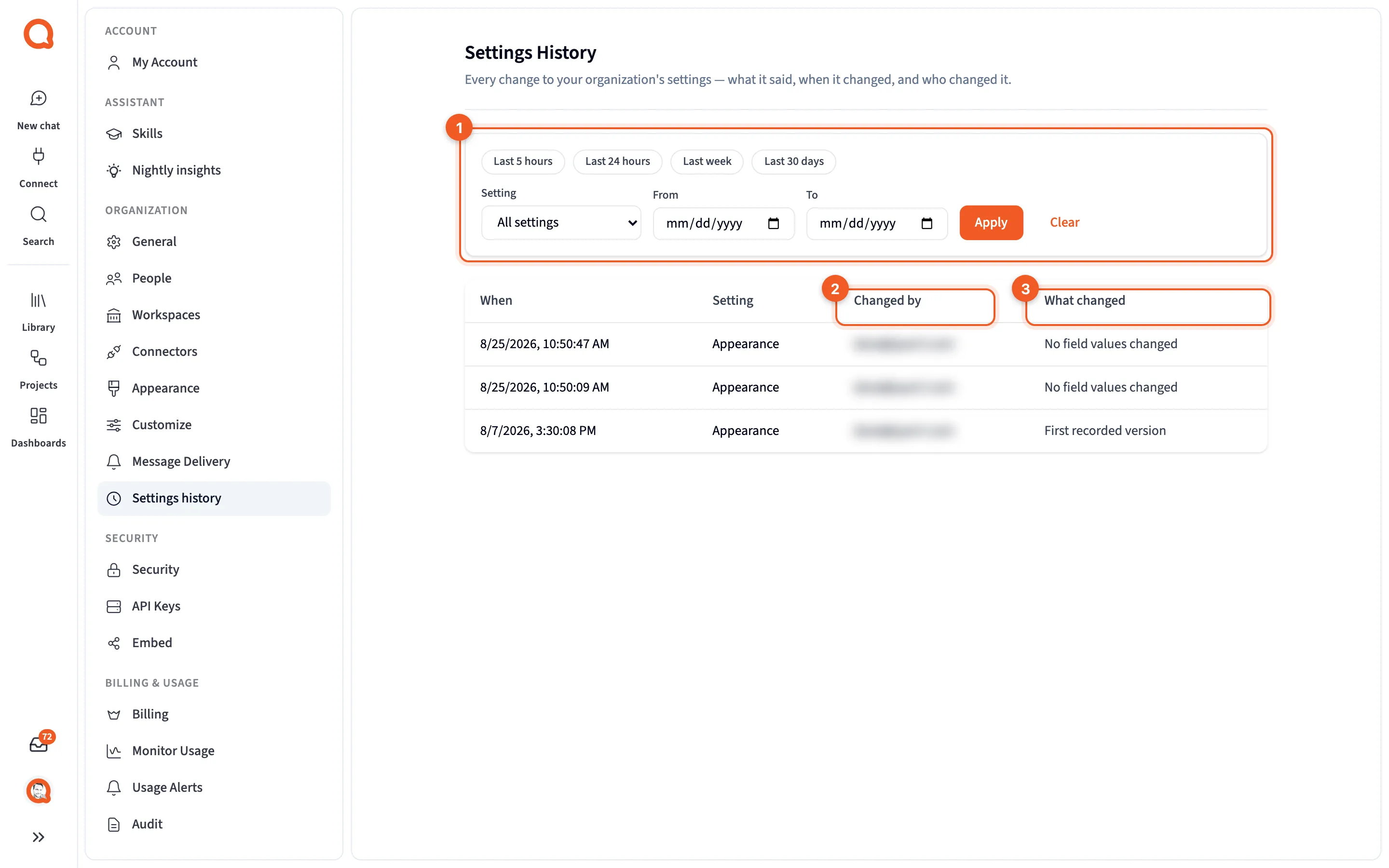
- The filters: quick date ranges, Setting, From and To.
- Changed by: who made the change.
- What changed: which fields changed.
Nothing on this page changes a setting. It’s only for looking back.
Filter the list
Section titled “Filter the list”- Last 5 hours, Last 24 hours, Last week or Last 30 days for a quick range.
- Setting: All settings, or one of Appearance, Chat display, Connectors, Customize, Embedded analytics and Message delivery.
- From and To for dates of your own.
Click Apply to filter, or Clear to start over. When nothing matches, you’ll see “No settings changes recorded for this filter.”
Read the table
Section titled “Read the table”| Column | What it shows |
|---|---|
| When | When the change was saved. Unconfirmed means Querri couldn’t confirm the save went through. |
| Setting | Which settings changed. |
| Changed by | The person who made the change. |
| What changed | The fields that changed. The first version on record reads “First recorded version”, and a save that changed nothing reads “No field values changed”. |
The table shows 50 changes at a time. Load more fetches the next batch and counts how many you’ve loaded out of the total.
See a past version
Section titled “See a past version”Click a row to open Settings Version: “The settings exactly as they were at this point in time.”
It’s the quickest way to answer “what did someone change?” when answers start reading differently after an edit to Context settings. To put an old value back, copy it into that setting’s page and save it there.
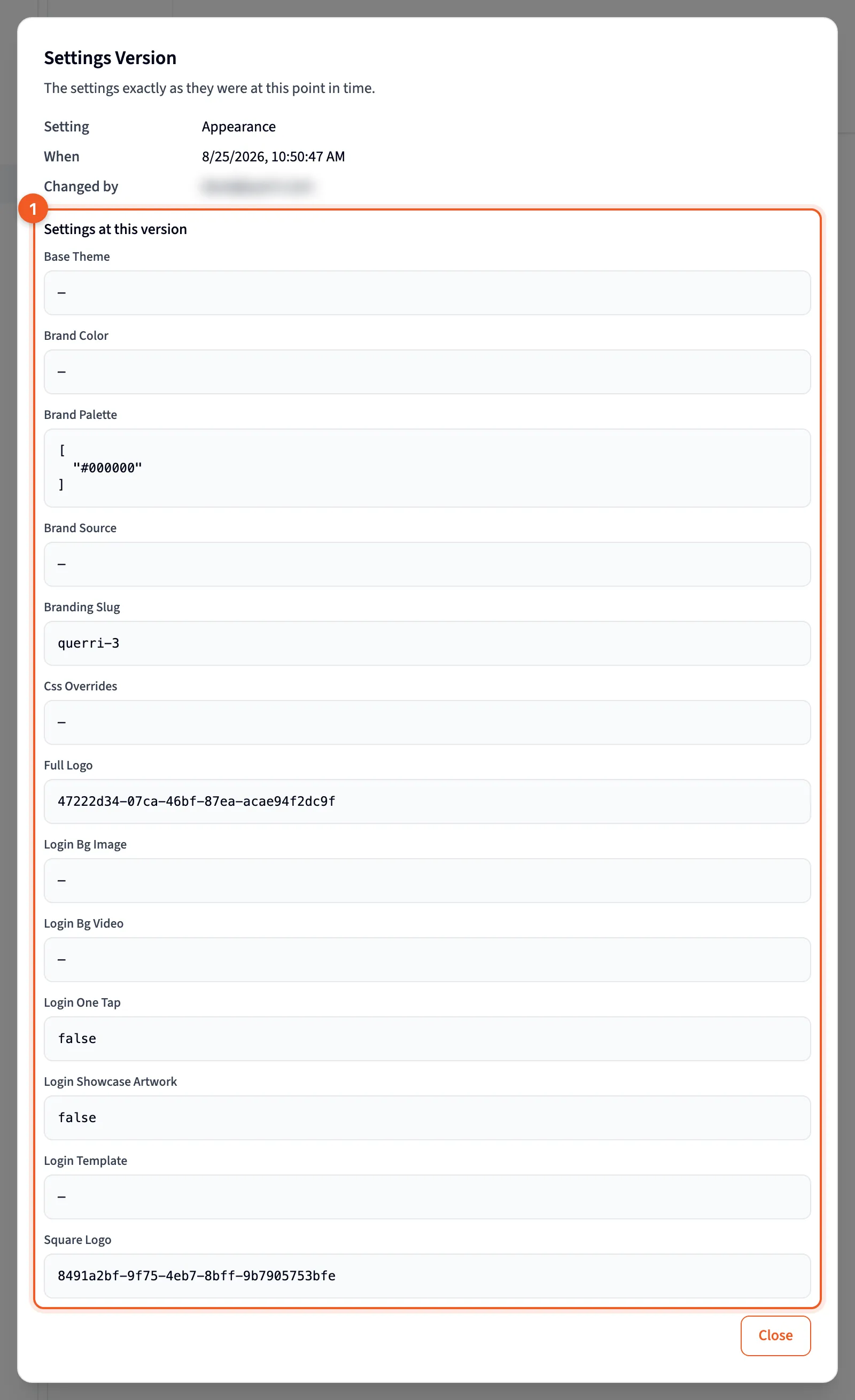
- The settings as they were at that point.