
KPI panel
Esta página aún no está disponible en español. Se muestra la versión en inglés.
A KPI’s panel answers the two things people ask about any number: what is it right now, and what exactly does it measure?
Who can see this: anyone who can see the KPI. If your access covers only some of the rows in the table it’s measured from, the value is hidden, because it’s calculated across all of them.
Open a KPI from the Metrics tab, from a KPI chip on a collection page, or from Bound KPIs on a question. Its header says KPI, even though the tab is called Metrics. Chips and the Ask about this KPI button work like they do on every other panel (see Detail panels).
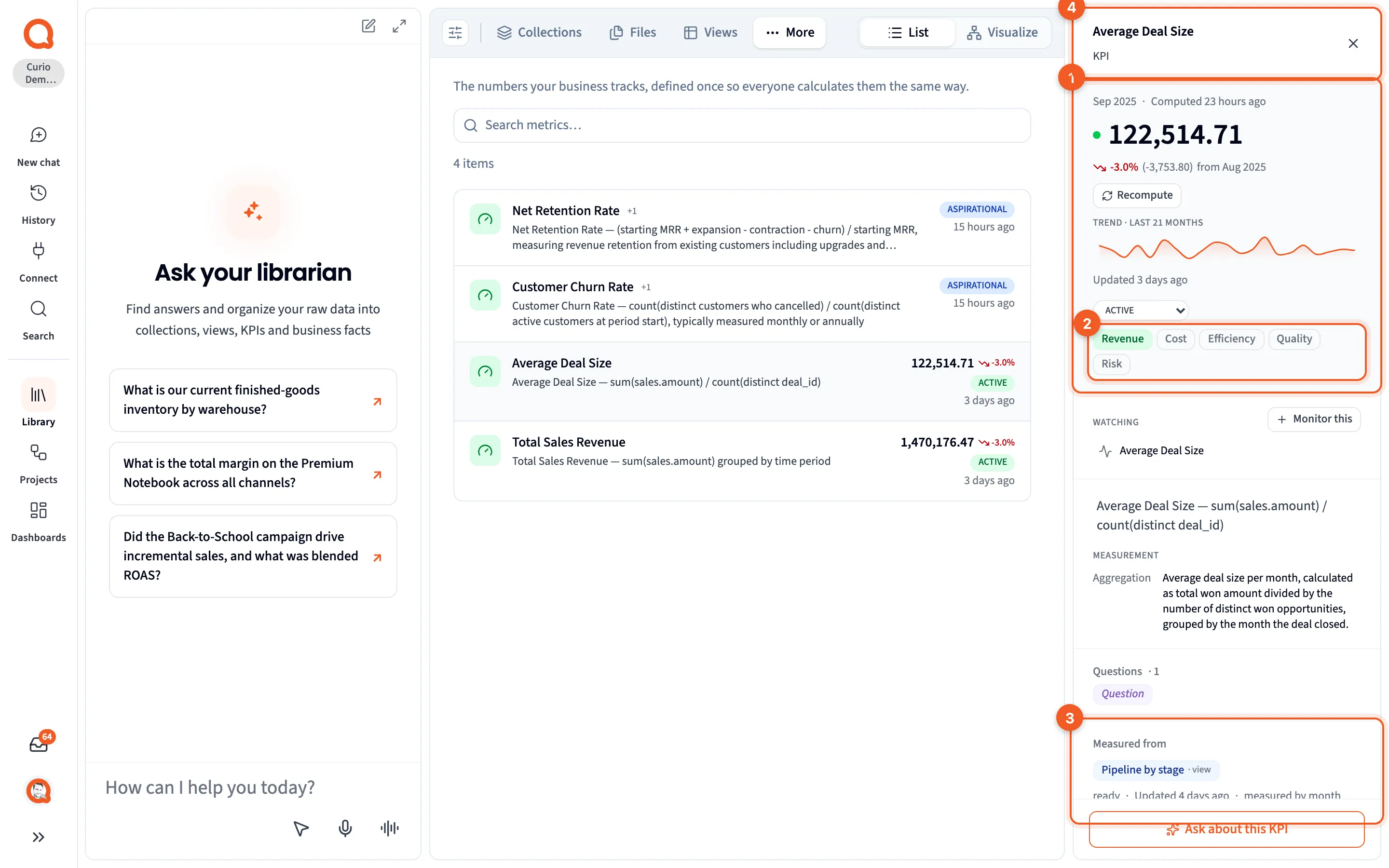
- The value: the latest value and the period it covers, the change from the period before, and a trend line. Hover over the line to read any period. Recompute calculates the value again.
- Dimensions: Revenue, Cost, Efficiency, Quality and Risk, the five dimensions of business value. The lit ones are this KPI’s. Click one to switch it on or off. A KPI has to keep at least one.
- Measured from: the one table the value is calculated from, with its status, when it was updated, and the period it’s measured by, such as month.
- The header: the KPI’s name, marked KPI.
Just above the dimensions is the KPI’s state: DRAFT, ACTIVE, ASPIRATIONAL or DEPRECATED. Changing the state saves straight away, and so does switching a dimension.
The rest of the panel
Section titled “The rest of the panel”Below the value, top to bottom:
- Watching: any monitor on this KPI, and Monitor this to set one up. See Monitors.
- The definition: a plain-language description, then Measurement, with the Window, Aggregation and Filter the number uses. This is where “what do we mean by average deal size?” gets its answer.
- Questions: the questions this KPI measures.
- Measured from
- Computed from: Sources referenced and Views referenced.
- Measurement SQL, Measurement JSON and Relationships, folded.
A KPI’s value comes from one SQL query over its Measured from table, giving one value per period. It’s calculated again whenever that table rebuilds.
When there’s no value yet
Section titled “When there’s no value yet”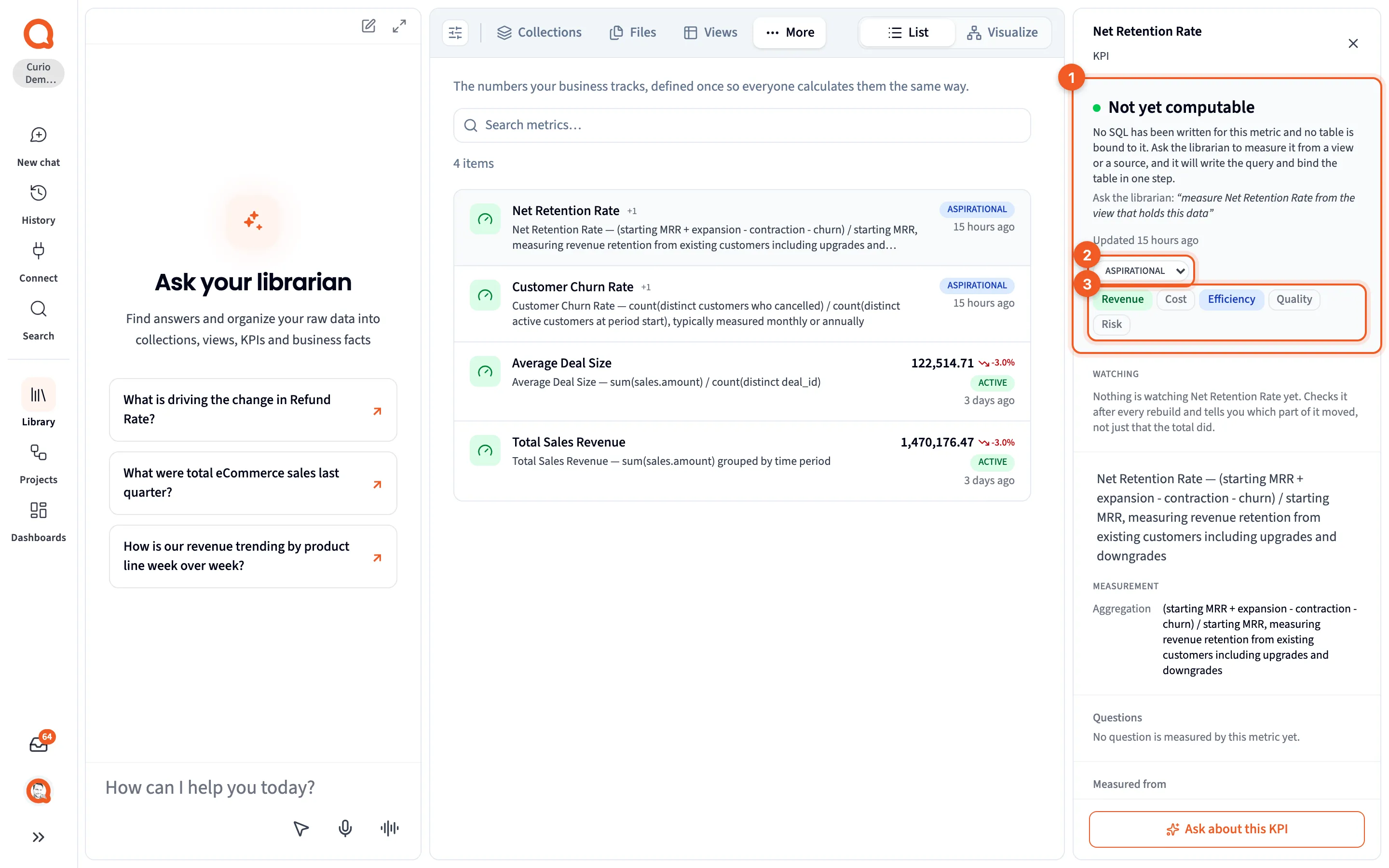
- Not yet computable: no SQL has been written and no table is bound. The panel suggests what to ask the Librarian. In this example, from the Curio Library these docs use, that’s “measure Net Retention Rate from the view that holds this data”.
- ASPIRATIONAL: the KPI’s state.
- Dimensions: Revenue and Efficiency are lit, so this KPI counts toward both.
A few other things can appear where the value goes:
- A failing KPI shows its last good value, dimmed, with the error in red.
- If the SQL is in place but nothing has been measured, the value appears the next time the table underneath rebuilds.
- If the SQL changed after the last value was calculated, a note says so. Click Recompute for a current value.
- If your access covers only part of the table, the value is hidden.
Measurement SQL
Section titled “Measurement SQL”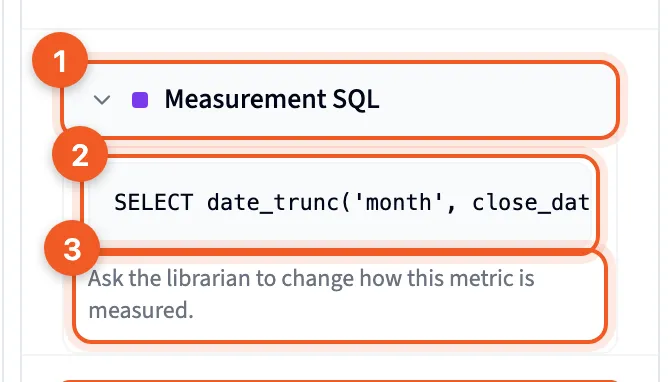
- Measurement SQL: click to open it.
- The SQL that calculates the value. Long lines scroll sideways.
- Ask the librarian to change how this metric is measured. You change a KPI’s calculation through Librarian chat, not by editing it here.