
Billing audit log
The Billing Audit Log is a history of changes to your organization’s subscription: plan changes, cancellations, payment method updates and overrides. It’s one of two audit logs in Querri. Changes to access policies, API keys and permissions go to the separate Audit Log under Security. See Audit Log.
Who can see this: admins only. The item doesn’t appear in the Settings rail for anyone else, and if they open the page directly they see Admin access required.
It’s in the Settings rail under Billing & Usage › Audit.
Filters
Section titled “Filters”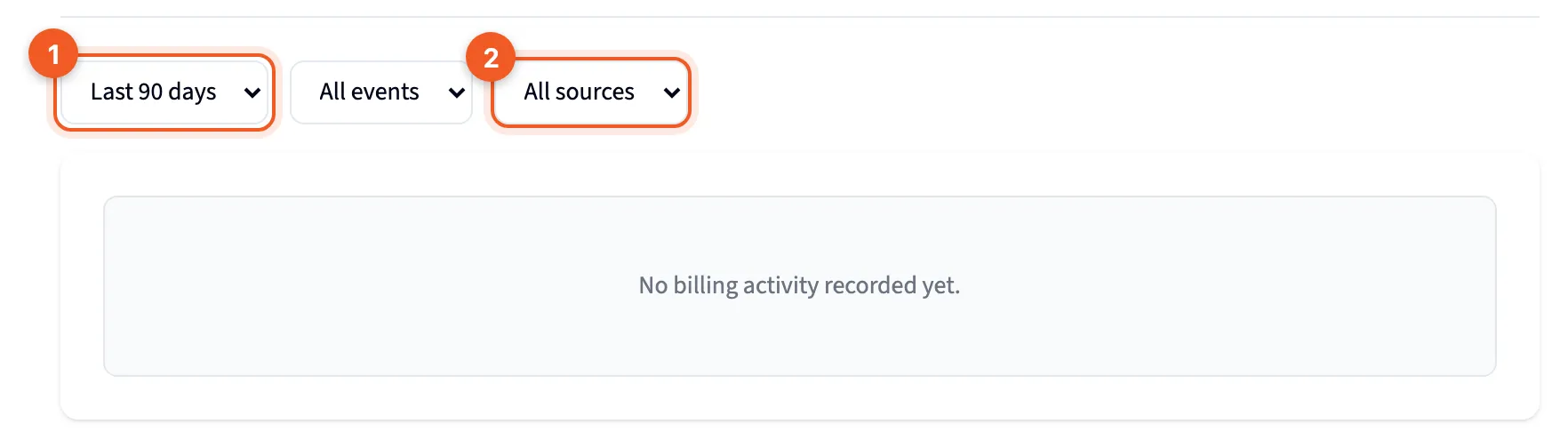
- The period: Last 30 days, Last 90 days (the default), Last year or All time.
- All sources: show everything, or only Manual or Automatic events.
A third filter, All events, narrows the list to one type of event. It only offers the types that appear in the period you picked.
The table
Section titled “The table”Each row is one event.
| Column | What it shows |
|---|---|
| Event | What happened, such as “Subscription changed” |
| Source | Manual or Automatic |
| Details | More about the change |
| When | When it happened |
The table stops at 100 events. When there are more, a note says “Showing the most recent 100 events. Narrow the time range to see older activity.” So to reach older events, pick a shorter period.
Export CSV, at the top right, downloads the log. It only appears when there’s something to export. With no events, the page reads “No billing activity recorded yet.”