
General
General holds one setting today: your organization’s URL name. It’s the short name at the start of every page address, like /acme/…, and it turns on a branded sign-in page at /login?org=acme.
Who can see this: admins only. It’s under Organization › General in Settings.
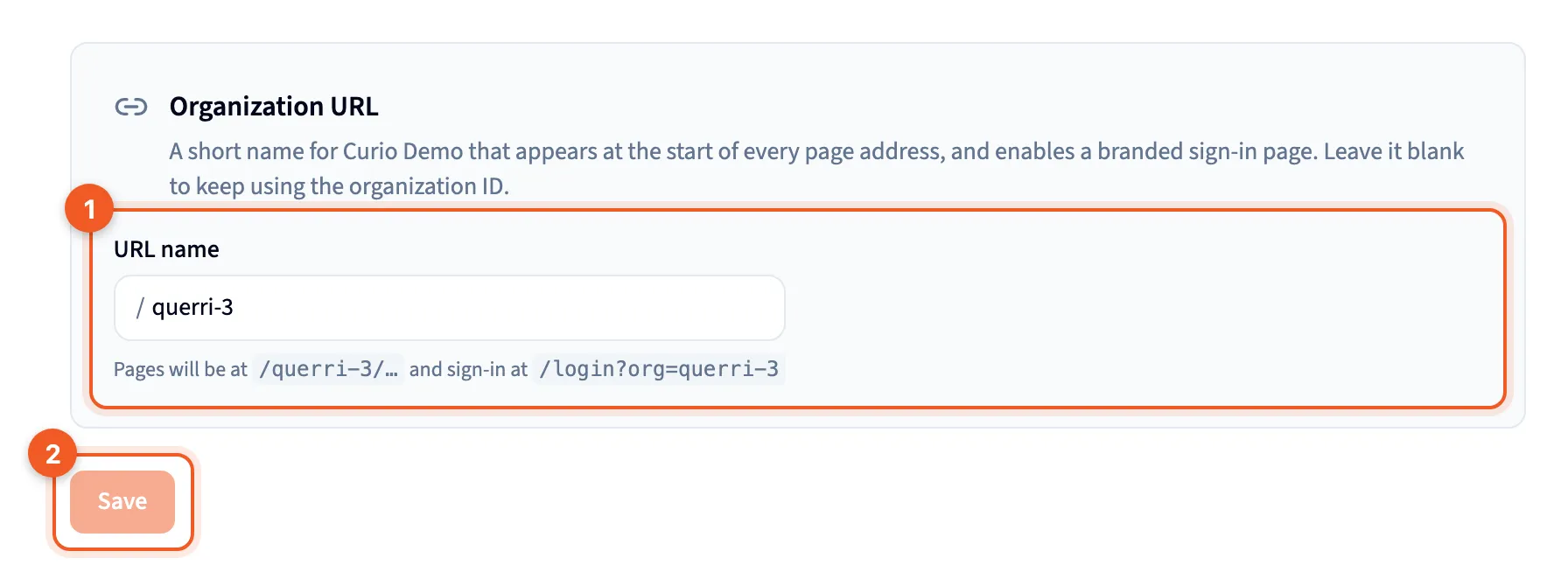
- URL name: the short name for your organization. The line under the box says where your pages and sign-in will live, or what’s wrong with the name.
- Save: keeps the new name.
Organization URL
Section titled “Organization URL”Type a name into URL name. It needs 3 to 64 characters: lowercase letters, numbers and hyphens, starting and ending with a letter or number. A few words are reserved.
As you type, Querri checks whether the name is free, and the line under the box tells you what it found:
- When the name is free, it shows the addresses you’ll get, for example
Pages will be at /acme/… and sign-in at /login?org=acme. - When someone else has it, “That URL is not available.”
- When the name breaks a rule, what to fix.
Leave the box blank and your pages keep using the organization ID, like /org_01J…/.
Save stays greyed out, and Cancel doesn’t appear, until you change the name. Then click Save to keep it, or Cancel to go back to what was there. “Organization URL saved.” confirms it.
Renaming
Section titled “Renaming”Changing a name you’ve already saved has a cost, and the page warns you before you save: “Your branded sign-in link will stop working.” Anyone who uses the old sign-in link sees the standard sign-in page instead, and once you let the old name go, another organization can claim it.
Links into the app keep working. Bookmarks and shared links move to the new address on their own. Embedded dashboards aren’t redirected: an embed keeps the address it was given and still loads, because the name in an address doesn’t decide which organization’s data you see. So the one thing to do after a rename is send the new sign-in link to anyone who uses /login?org=….
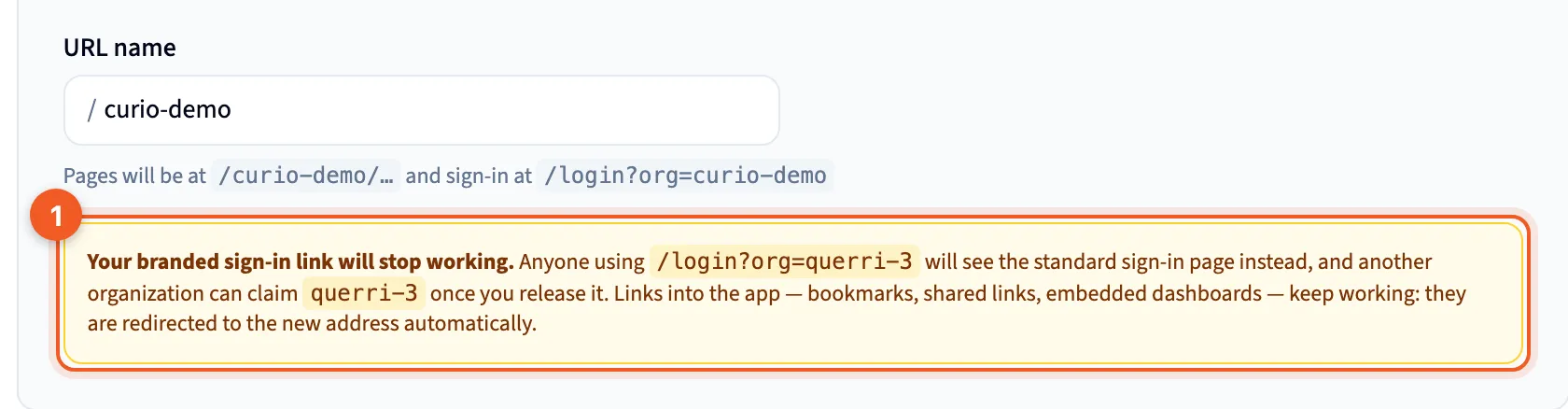
- The warning that the old sign-in link will stop working.
Where else it shows
Section titled “Where else it shows”Appearance › Login & branding shows the same name as Branded login URL, read-only, with a link back to this page.