
Usage alerts
Usage Alerts warns you when your organization gets close to a plan limit, goes past one, or starts using credits much faster than usual. Querri raises these warnings on its own, so there are no thresholds to set.
Who can see this: everyone in the organization sees the alerts. Only admins see the settings below them.
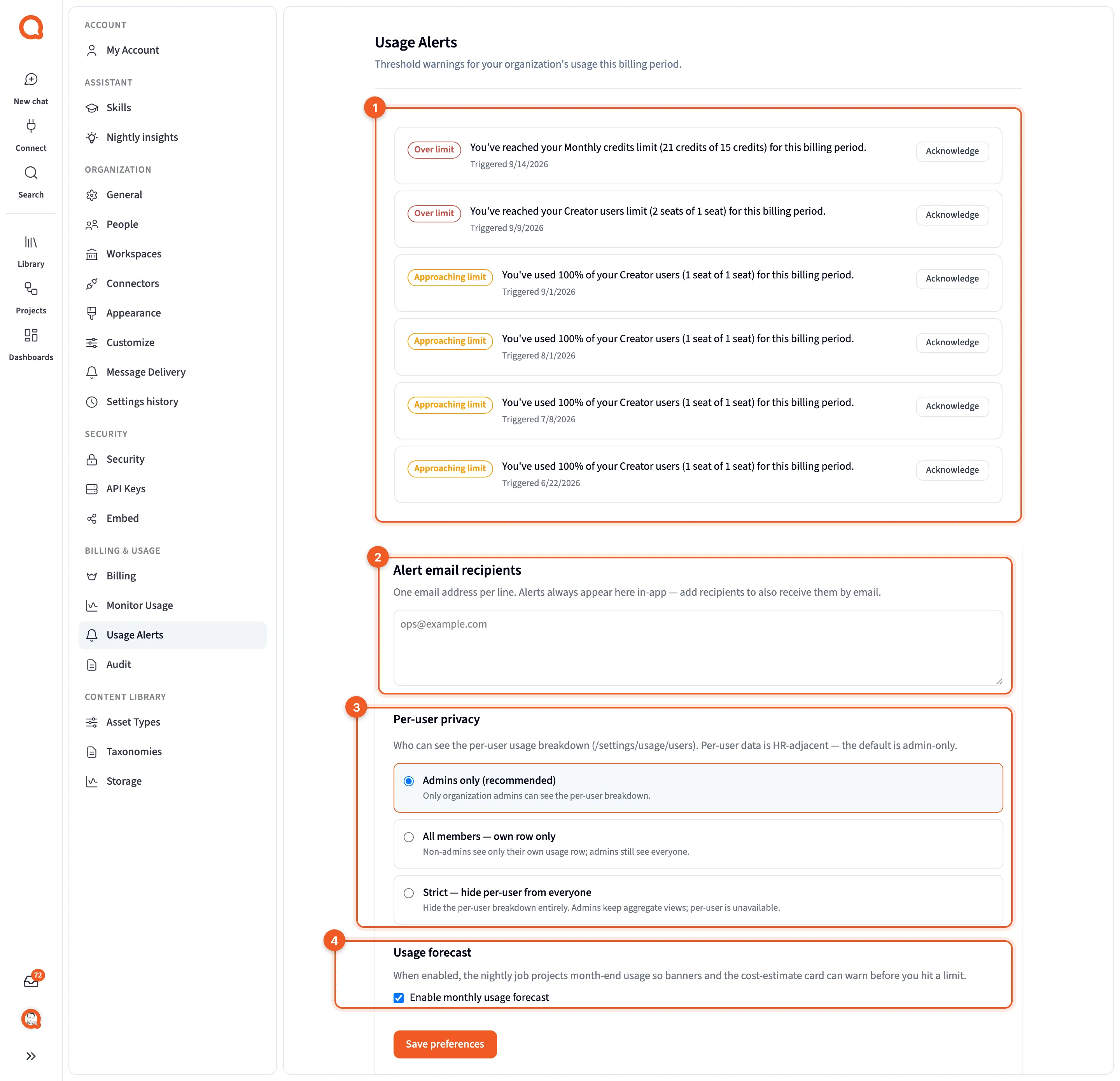
- The alert list: this billing period’s warnings.
- Alert email recipients: who else gets the alerts by email.
- Per-user privacy: who can see each person’s usage.
- Usage forecast: whether Querri projects month-end usage.
You’ll find it in Settings, under Billing & Usage › Usage Alerts.
The alerts
Section titled “The alerts”Each alert is one row with a badge, a message, and “Triggered {date}”. A typical message reads “You’ve used {pct}% of your {feature} ({used} of {limit}) for this billing period.”

- The badge: Approaching limit, Over limit or Usage spike.
Click Acknowledge once you’ve seen an alert. The row dims and the button changes to Acknowledged.
With nothing to report, the page reads “No usage alerts. You’ll be warned here when your organization approaches a limit.”
When an alert fires
Section titled “When an alert fires”Each night, Querri compares your organization’s usage with its plan limits. Features without a limit are skipped.
| Badge | When it appears |
|---|---|
| Approaching limit | A plan feature reaches 80% of its limit |
| Over limit | A plan feature goes past its limit |
| Usage spike | Credits are being used at three times the usual rate or more |
These alerts are about the whole organization. When one person reaches their own monthly credit limit, no alert appears here. Instead, nothing more runs for them until their credits reset, and they see “You have used all {limit} of your monthly credits. Your admin can raise your limit, and your credits reset on {date}.” Admins set those limits on People, under Organization in Settings. See People.
Alert settings
Section titled “Alert settings”Admins see three settings under the list. They share one Save preferences button, so nothing changes until you click it and see “Preferences saved.”
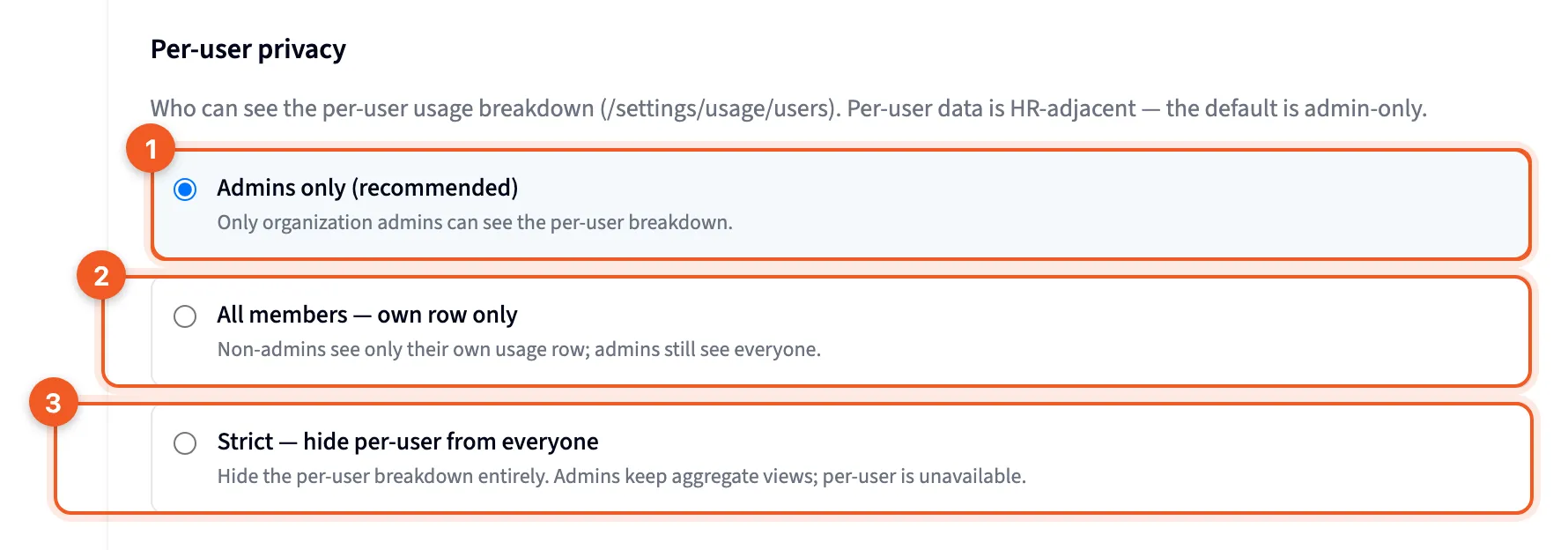
- Admins only (recommended): the default. Only admins see each person’s usage.
- All members: each member can see their own row, and nobody else’s.
- Strict: nobody sees per-person usage.
- Alert email recipients: one email address per line. Alerts always show on this page, and anyone you list here gets them by email as well.
- Per-user privacy: who can see the By user tab on Monitor usage, using the three choices above. Strict also hides other people’s names from admins in What used credits.
- Usage forecast: tick Enable monthly usage forecast. “When enabled, the nightly job projects month-end usage so banners and the cost-estimate card can warn before you hit a limit.”
Outbound webhooks
Section titled “Outbound webhooks”Admins also get an Outbound webhooks card. It sends events from Querri to an endpoint you run: usage thresholds, plan changes and billing failures. Every payload is signed with HMAC, using a secret that belongs to your organization.
You give it an endpoint URL and choose which events to send, and you can send a test ping. The card also shows how healthy the endpoint is, a notice when deliveries are paused, and the signing secret, which it shows one time. The usage threshold events are entitlement.limit.warning, entitlement.limit.reached and entitlement.spike.